
Run your Airtable client work in one place.
Projects, backlog, time, meetings and docs — right next to the bases you build for each client. Map their architecture, write their interface extensions, see how every engagement is pacing, and give clients a portal into exactly what you choose to share.
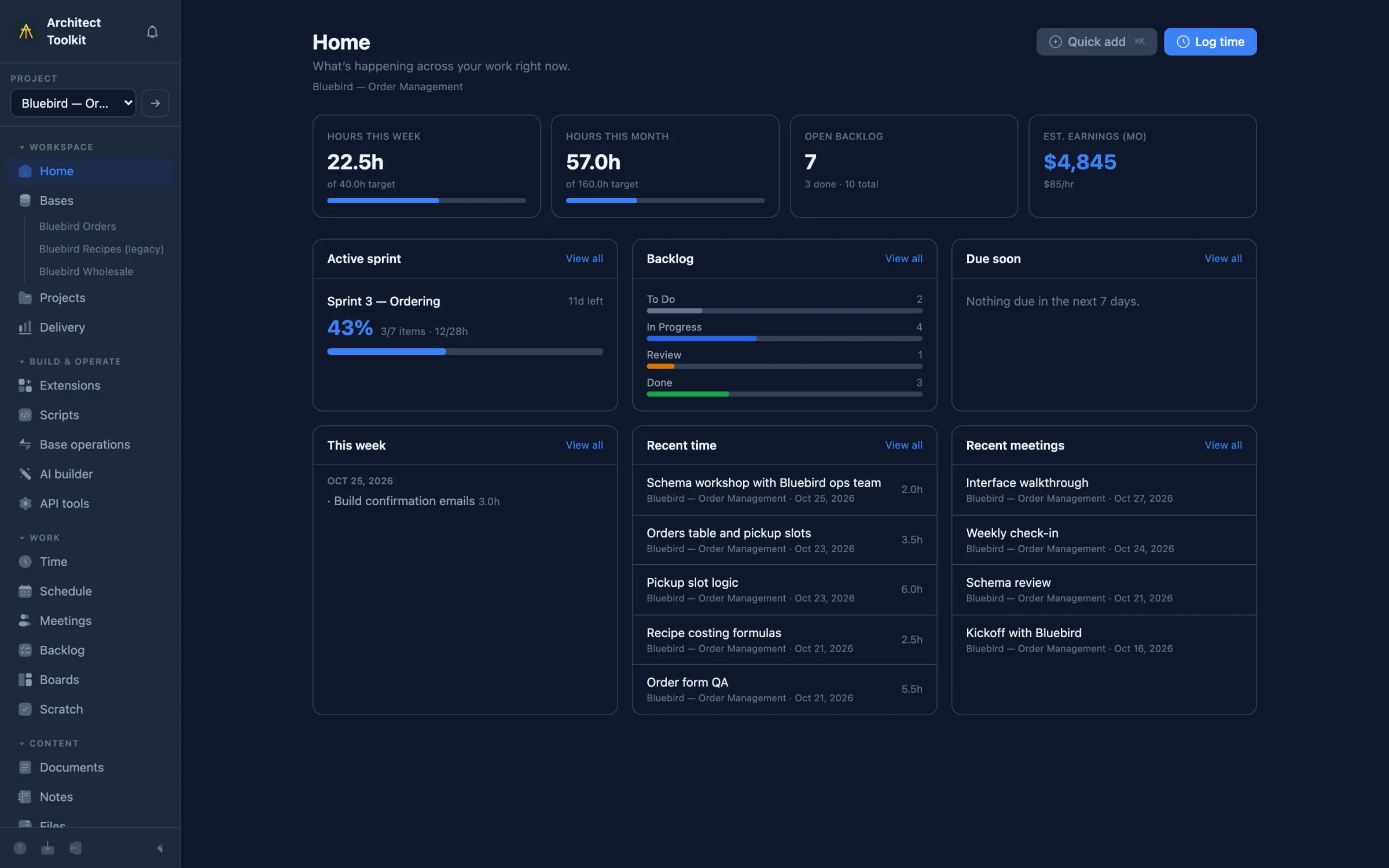
Built for consultants who build in Airtable.
Most project tools stop at the task list. Architect Toolkit also knows about the bases, interfaces, automations and extensions that make up the work.
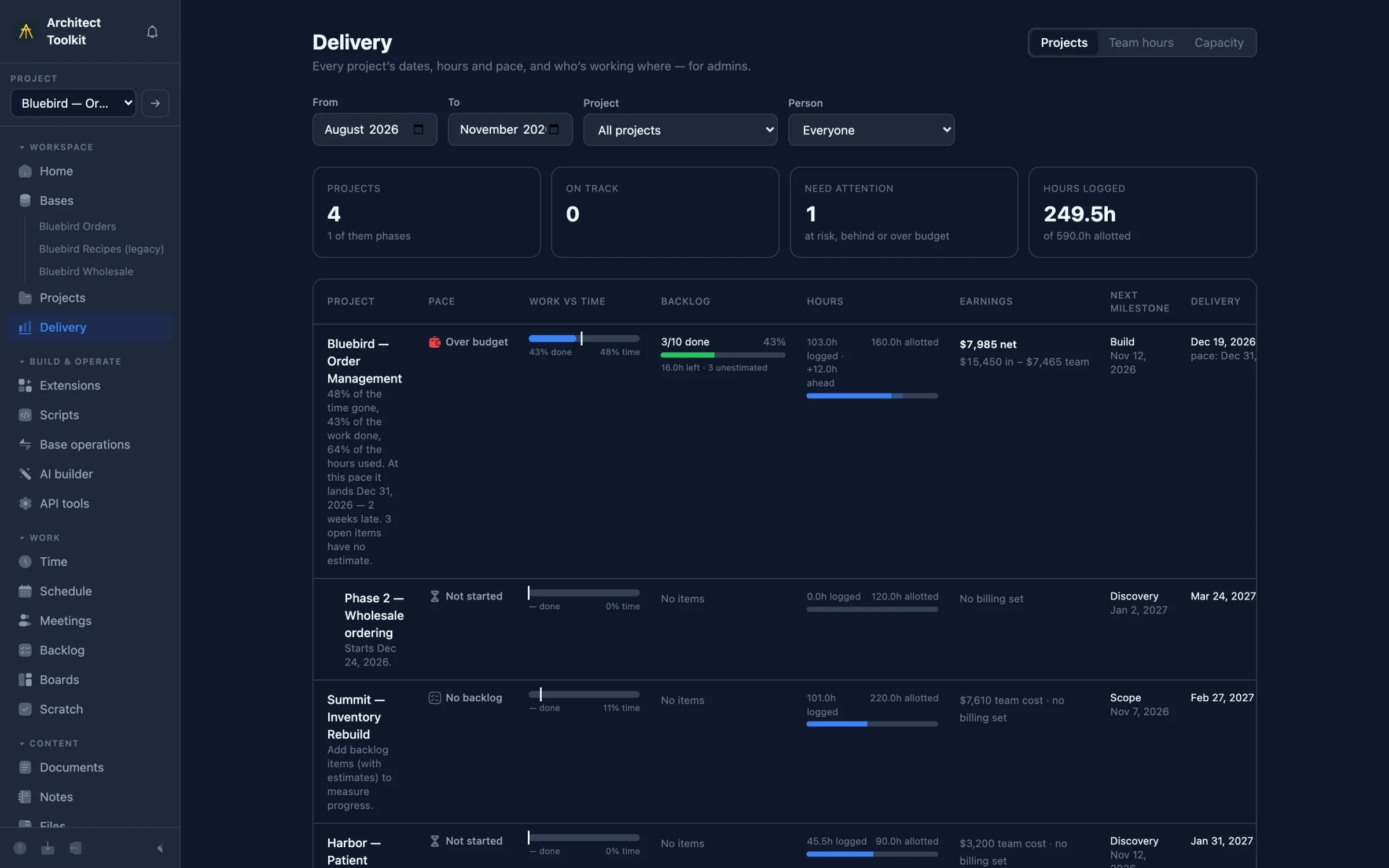
Know which projects need you.
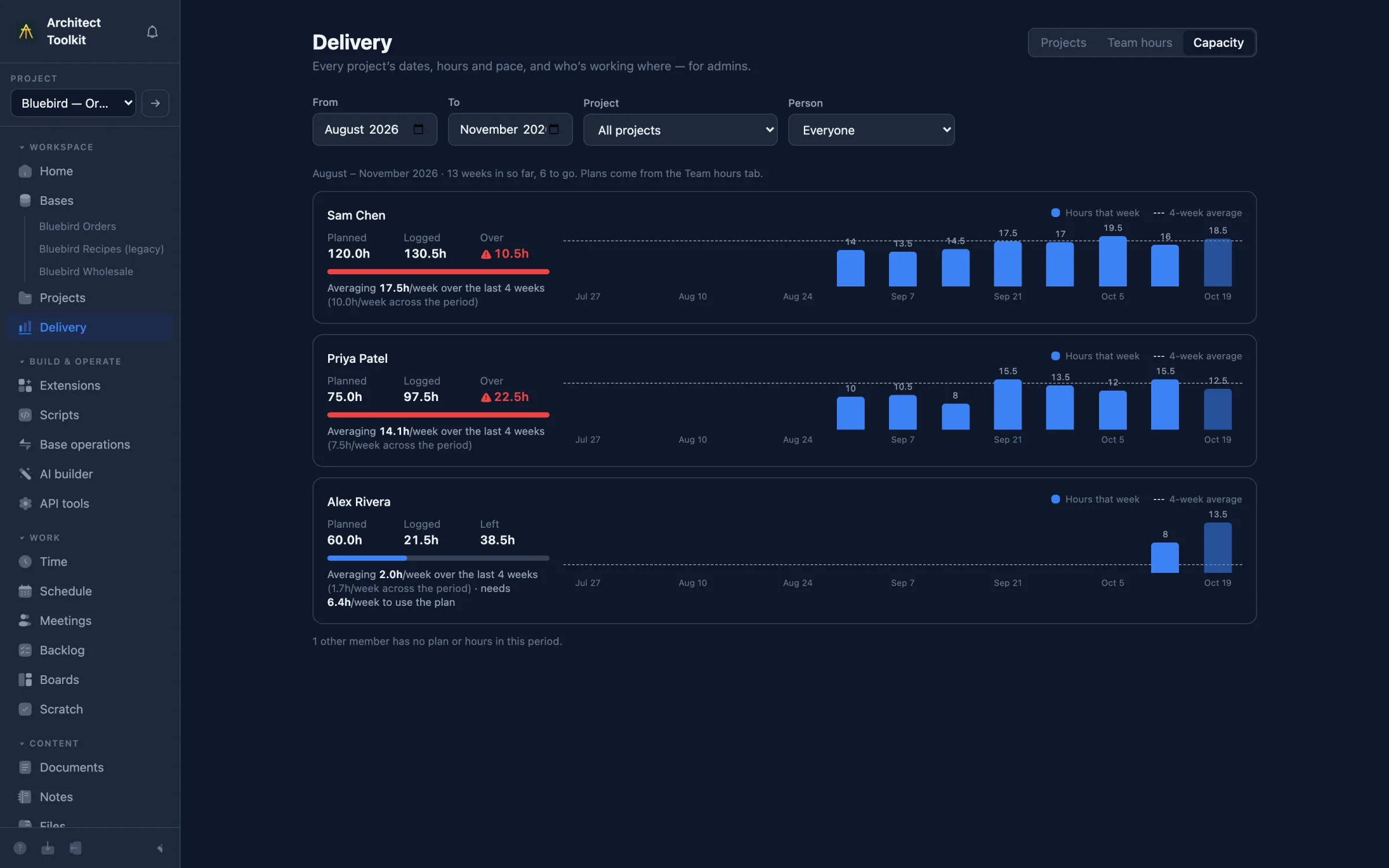
One table for every engagement: how far through the work you are against how far through the time, hours logged and still scheduled, and the next milestone.
- Pace worked out from the backlog and the project dates — on track, at risk or behind
- Fixed-fee or hourly billing, with the net after your team’s time
- Team capacity: planned hours, what’s logged and each person’s week by week
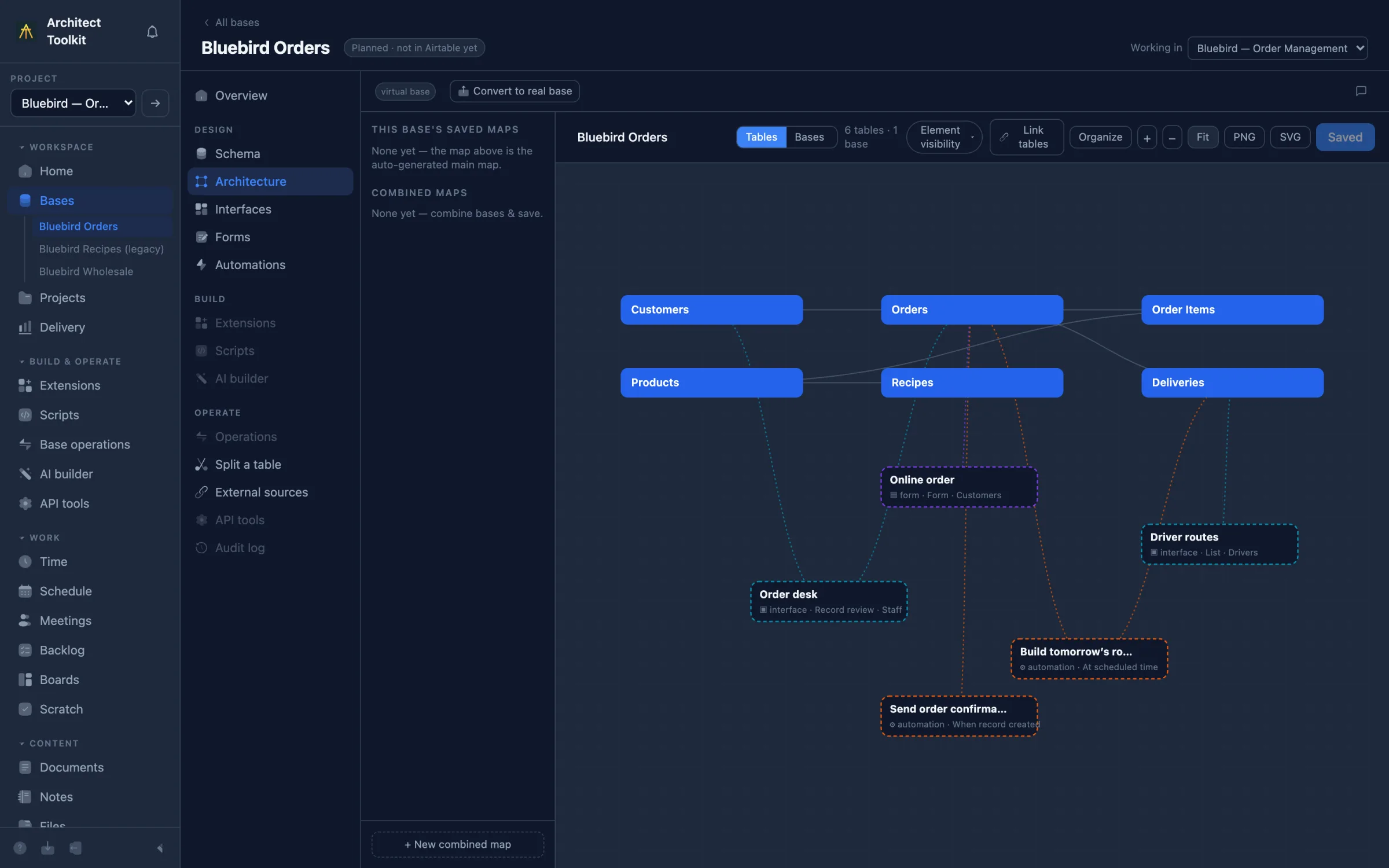
See the whole base before you build it.
Plan a base’s schema before it exists in Airtable, or pull in one that does. The architecture map shows the tables and links, and the interfaces, forms and automations built on them.
- Design a planned base, then turn it into a real one when it’s ready
- Interfaces, forms and automations recorded against the tables they use
- Export the map as PNG or SVG for the client deck
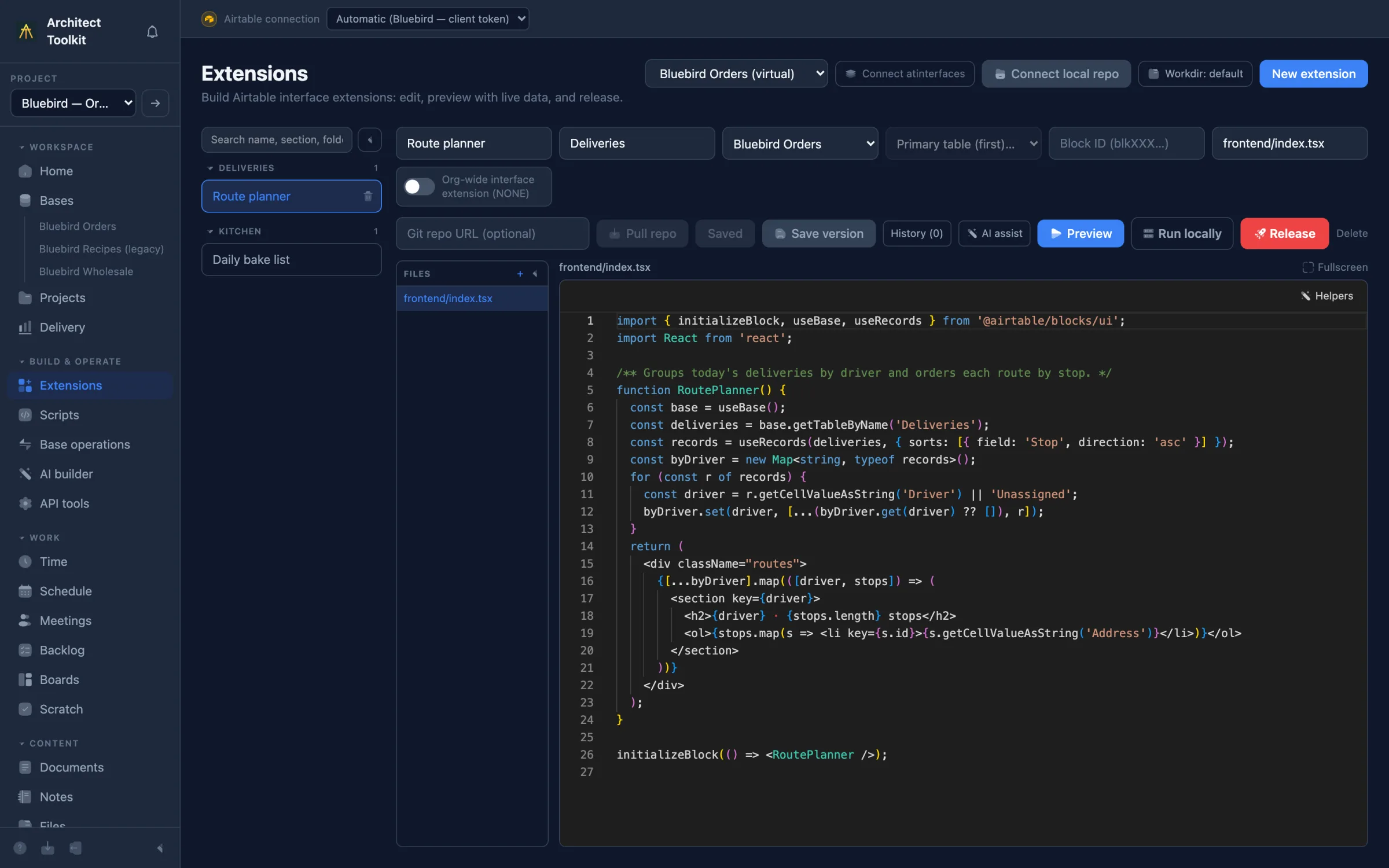
Write interface extensions where the project lives.
Edit, preview against the base’s data and release Airtable interface extensions, grouped by what they’re for.
- Saved versions you can restore
- Sync with a repo on your Mac, or pull from git
- AI help that knows the base’s tables and fields
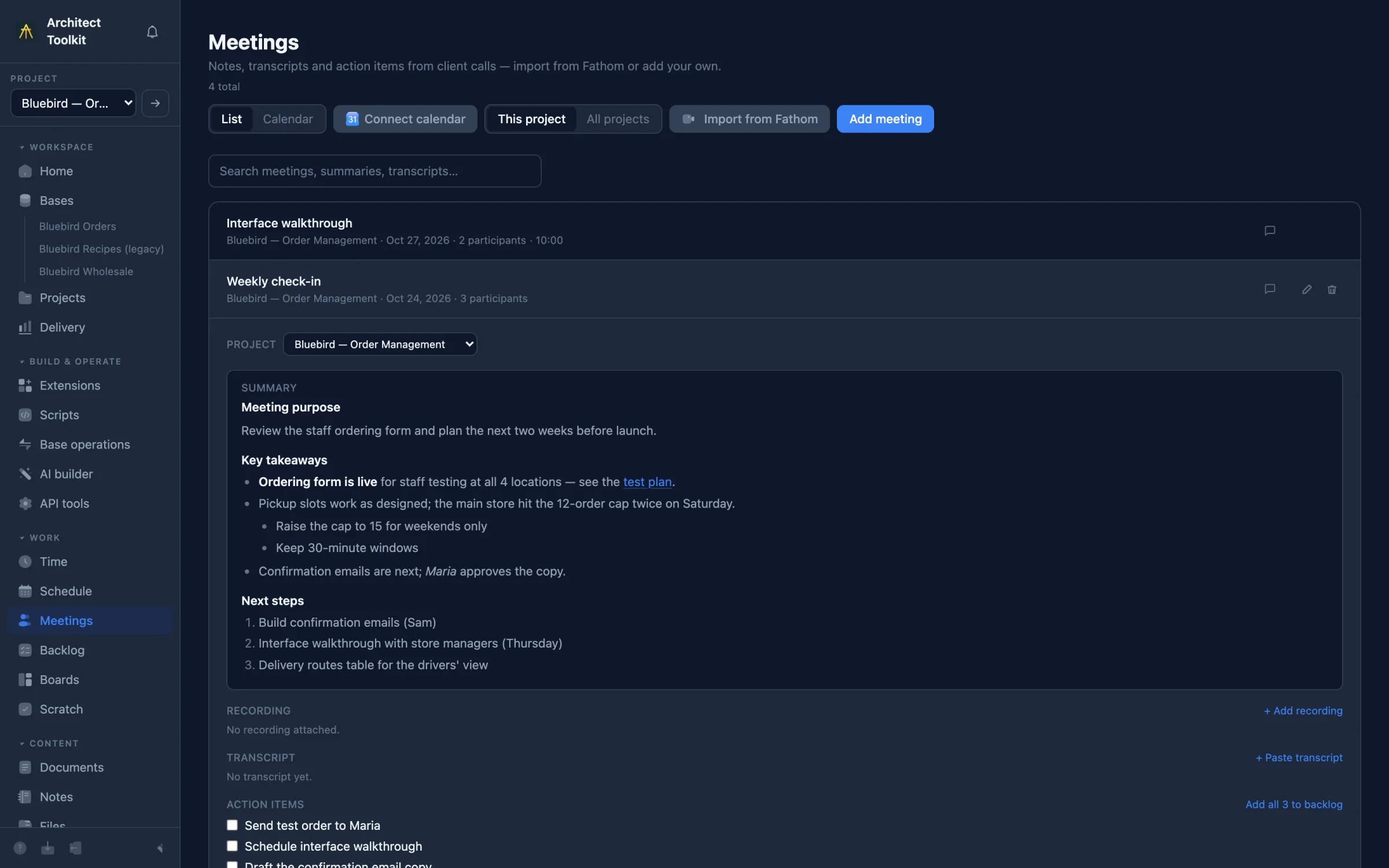
Every client call, with what came out of it.
Summaries, recordings, transcripts and action items for each call, linked to the right project — and action items become backlog tasks in a click.
- Two-way sync with Google Calendar
- Import calls from Fathom, recording and all
- Meetings matched to the right client project automatically
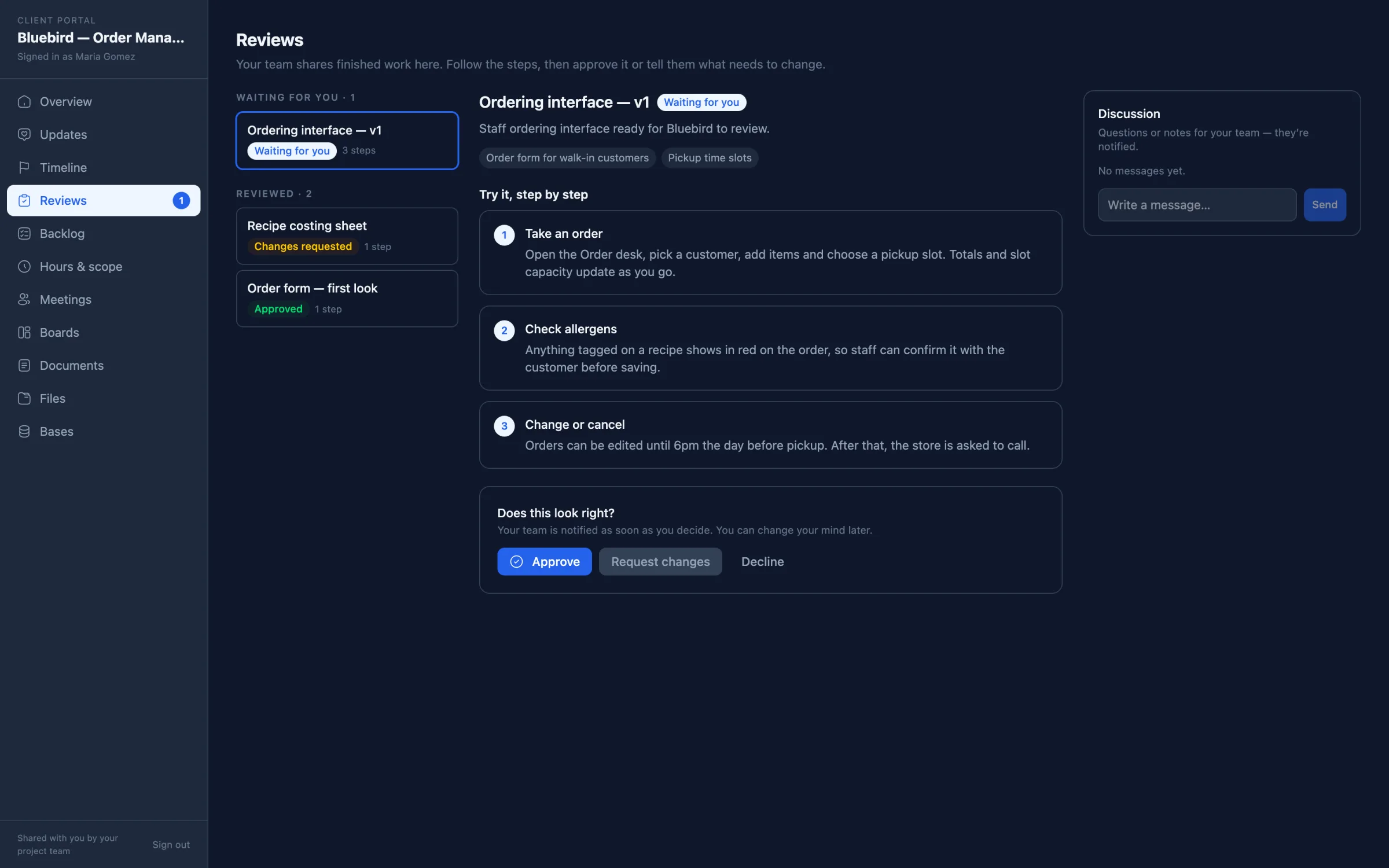
Show clients exactly what you choose.
A read-only portal for each client: the timeline, status updates, hours, the backlog laid out like yours, deliverable reviews, meetings and docs — each one switched on or off.
- Share all of a section, or pick items one by one
- Clients approve deliverables or ask for changes, step by step
- Their own sign-in — never access to the rest of your workspace
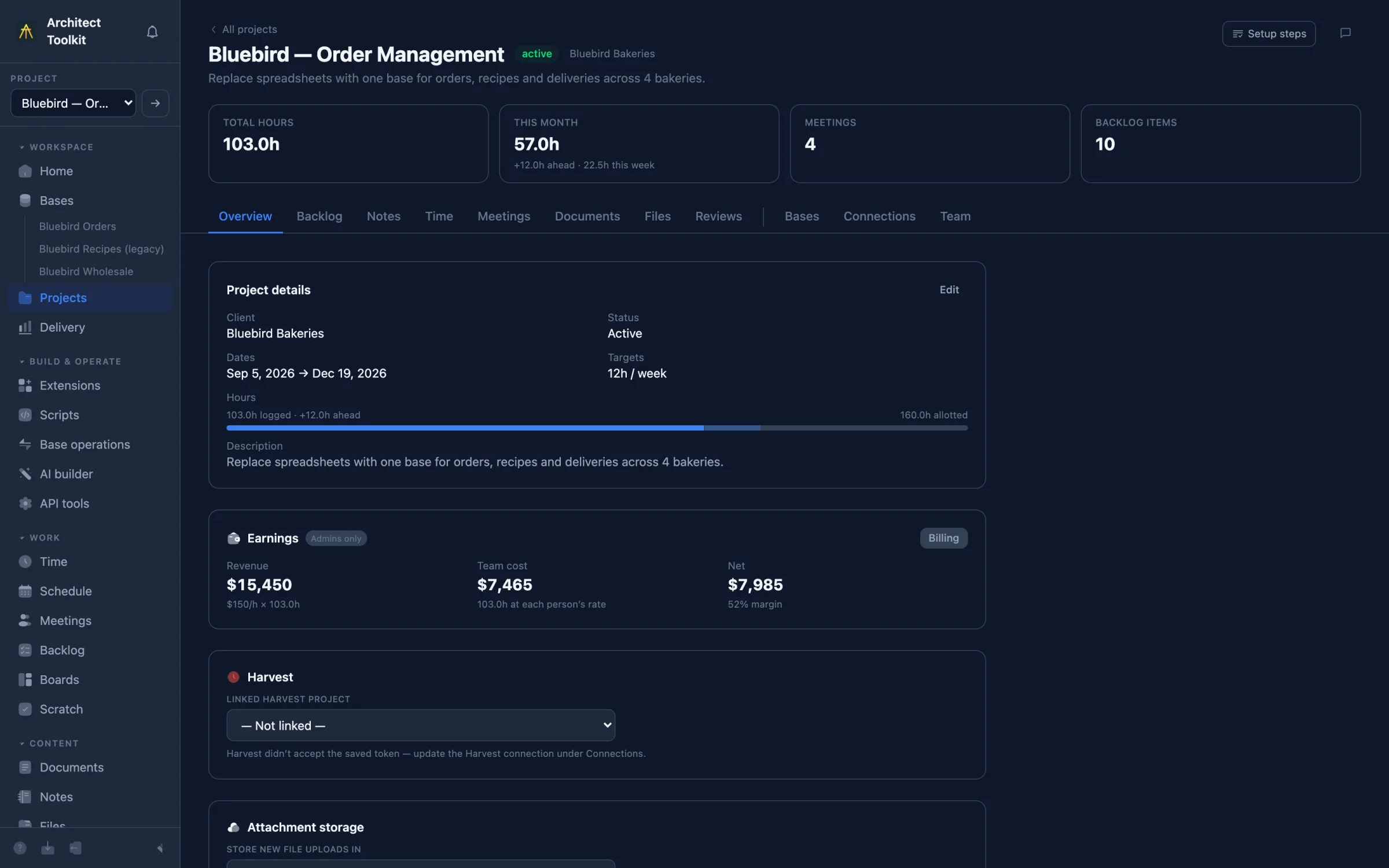
The whole workspace.
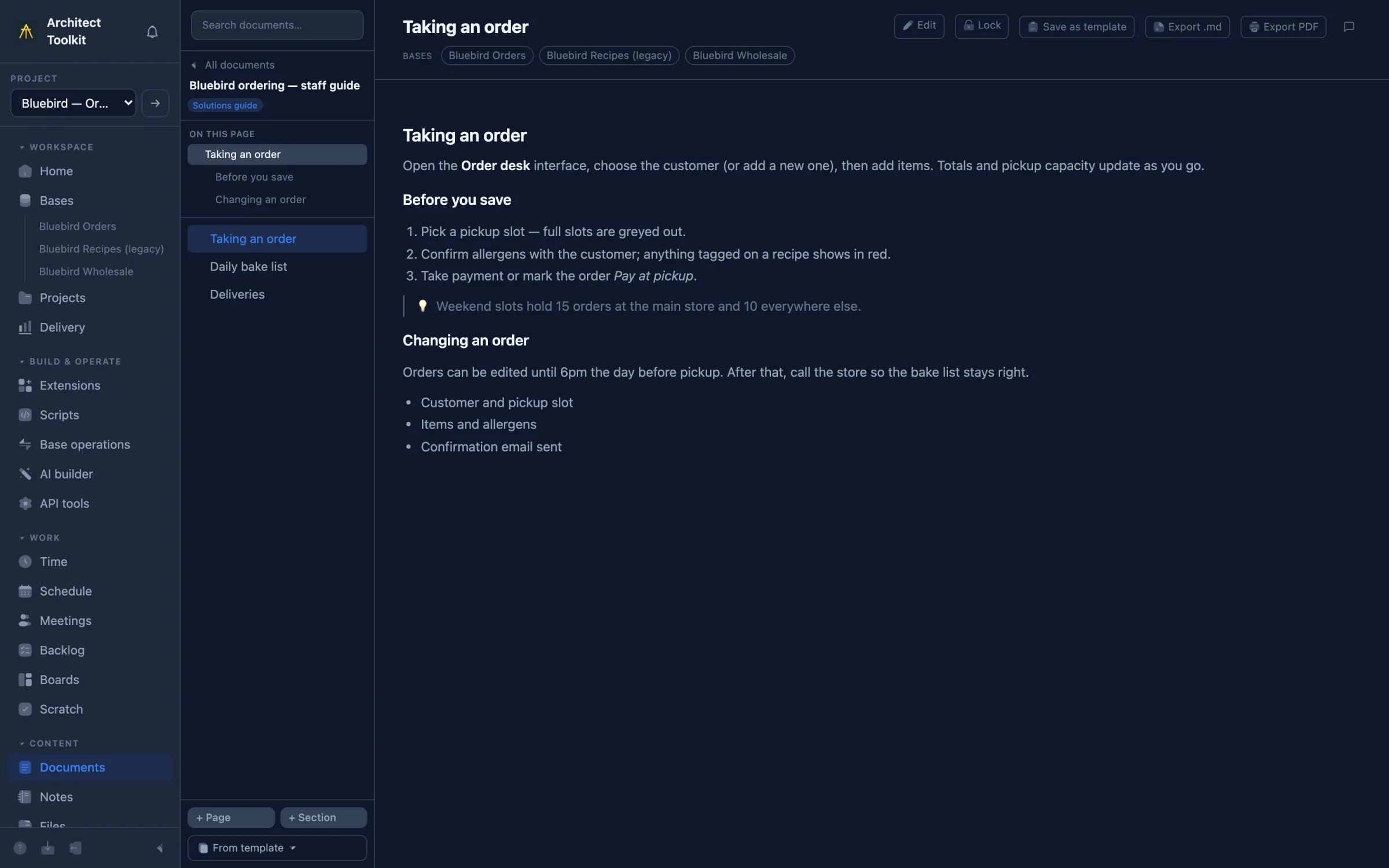
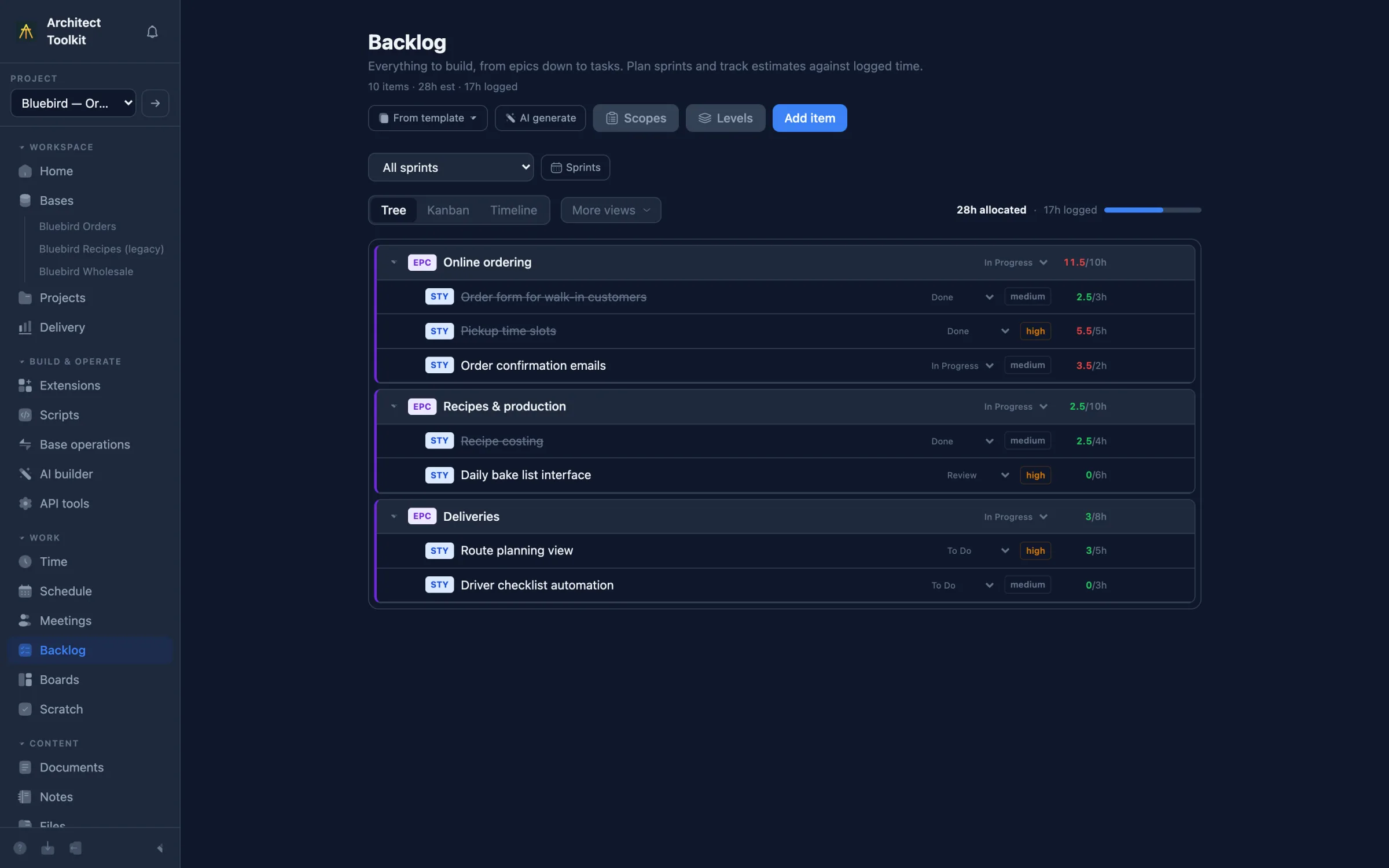
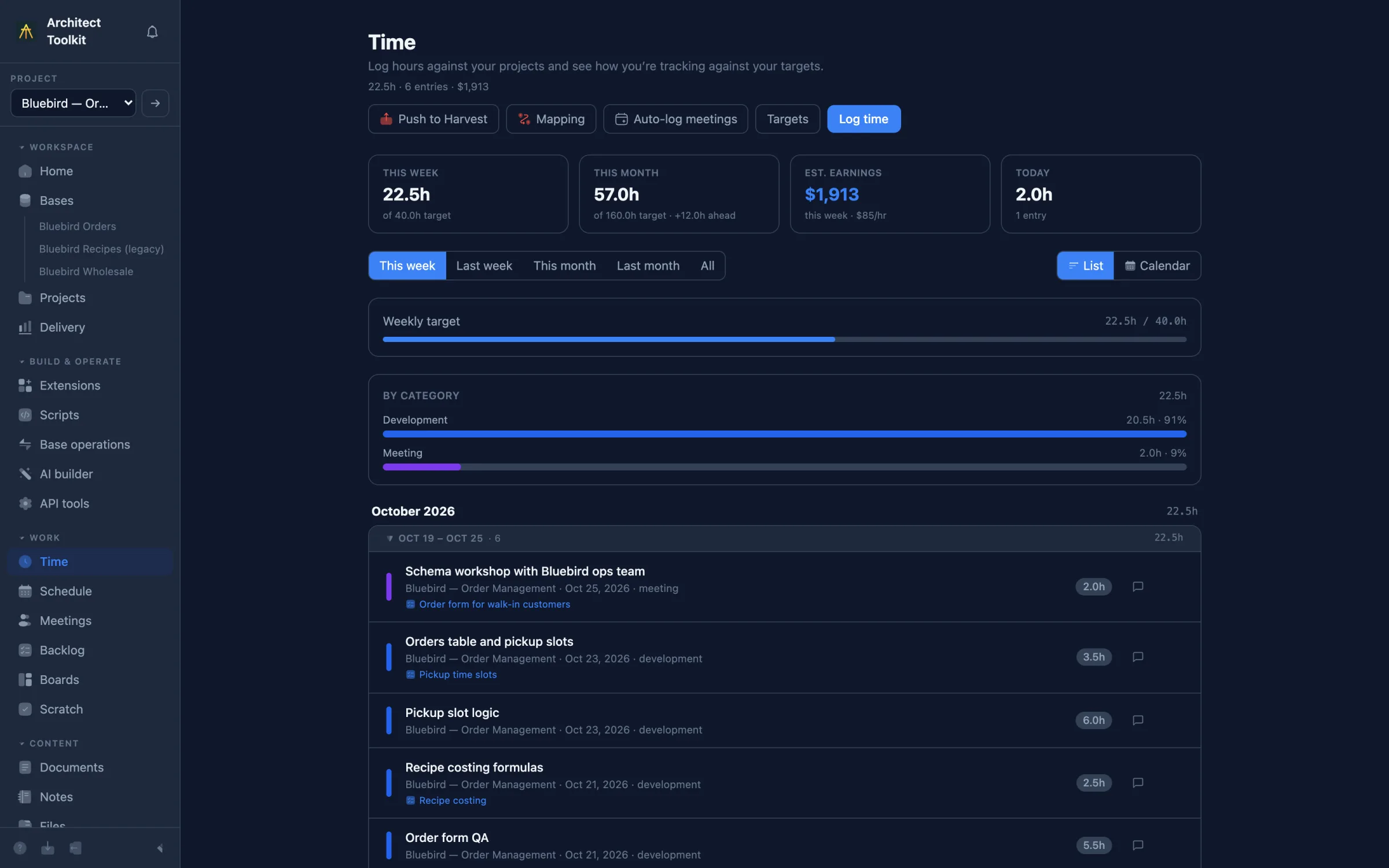
Shown with sample project data. Pick a screen; click the screenshot to open it full size.
The rest of the toolkit.
Time & targets
Log time against projects and tasks, with weekly and monthly targets and a push to Harvest.
Backlog & sprints
Your own level names and codes, scopes of work you can lock, and sprints with progress.
Docs & notes
Rich-text specs, solutions guides and notes, exportable to Markdown or PDF.
Phases & milestones
Split a project into phases with their own hours, and track Discovery through Delivery.
Roles & access
Admins, members and view-only seats, scoped to the projects each person is on.
Secure sign-in
Passkeys and authenticator-app two-factor, built in.
Ready to get organized?
Architect Toolkit is invite-only while it’s in beta. Tell us a little about your Airtable work and we’ll get you set up.