Run your shoot from one place.
Break down the script, plan the shots, schedule the days and send call sheets, then run the set with a digital slate everyone can see. Your cast and crew sign in to find their call time, confirm it, and file their expenses and hours.
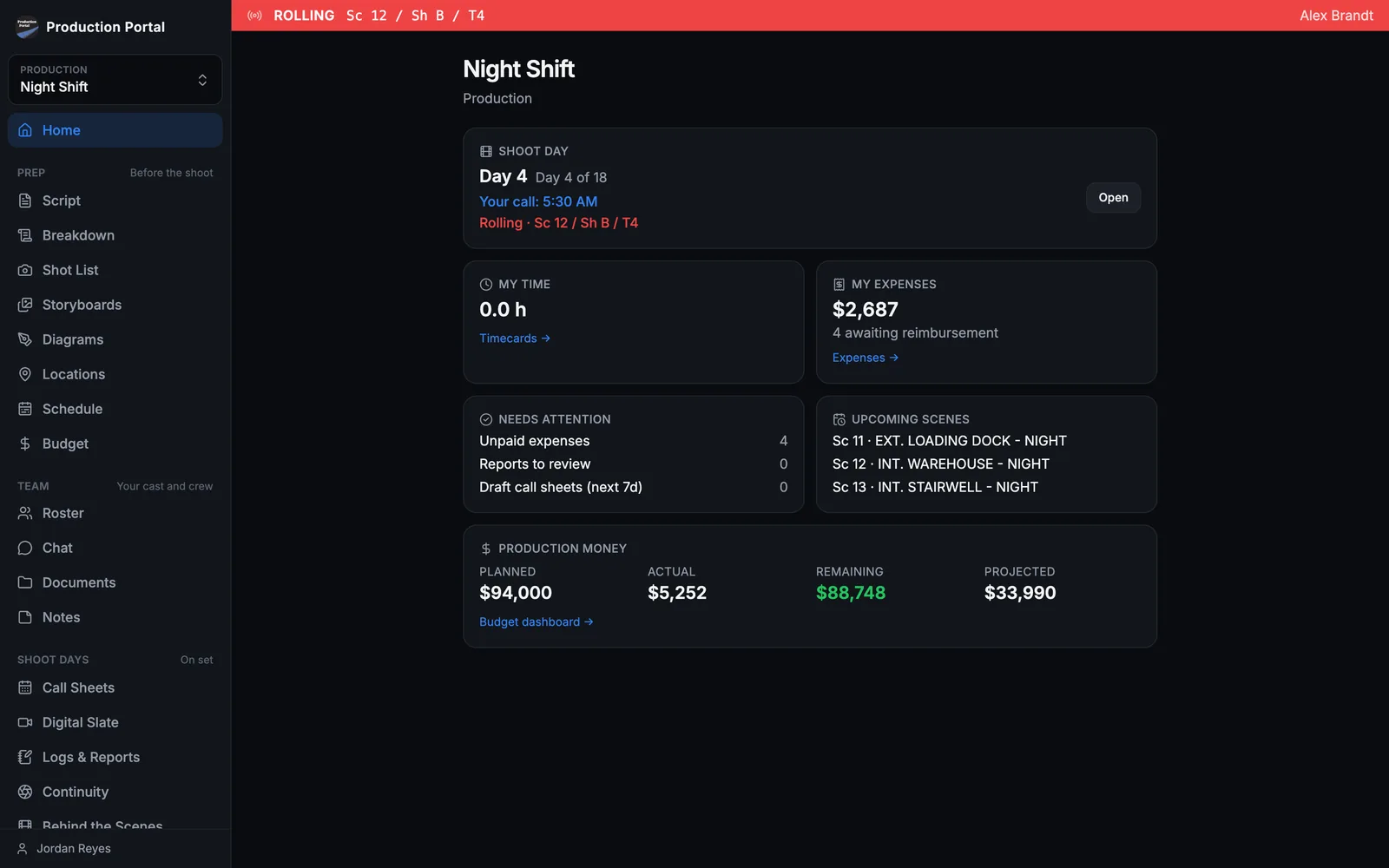
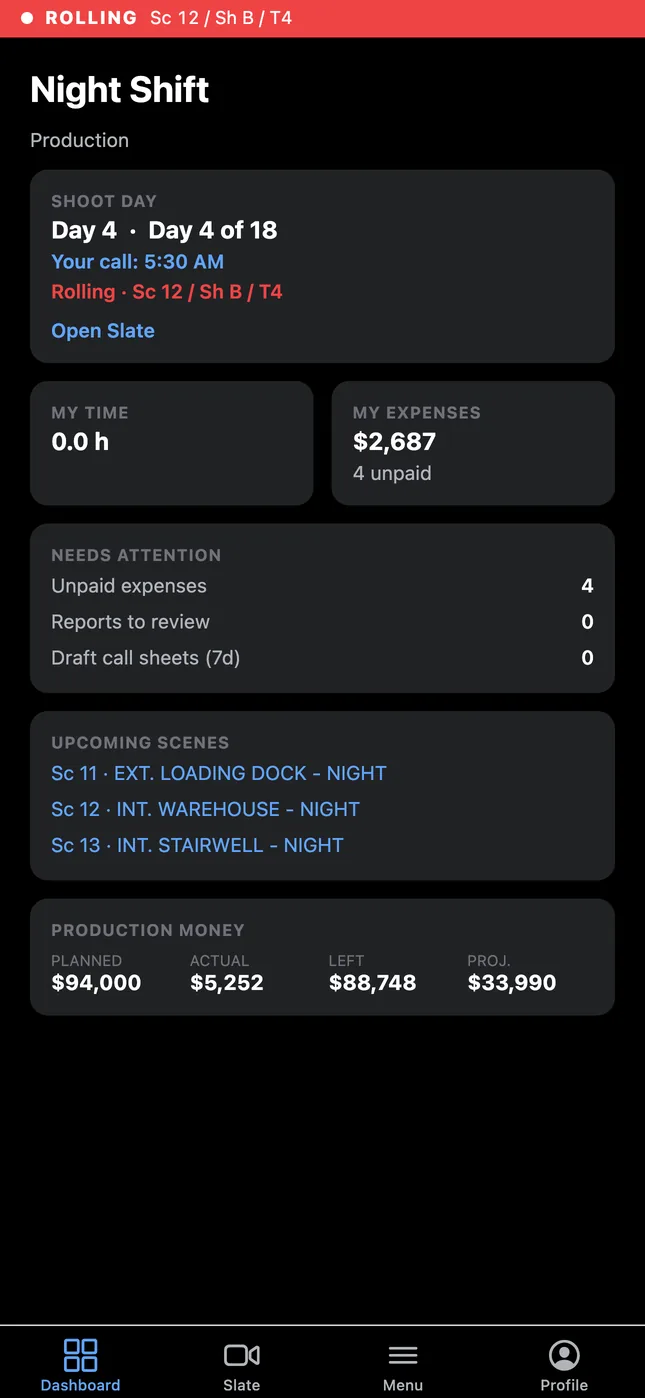
Organized the way a production runs.
Prep, team, shoot days, money. Every screen says what it's for and where to start, so nobody needs a training day.
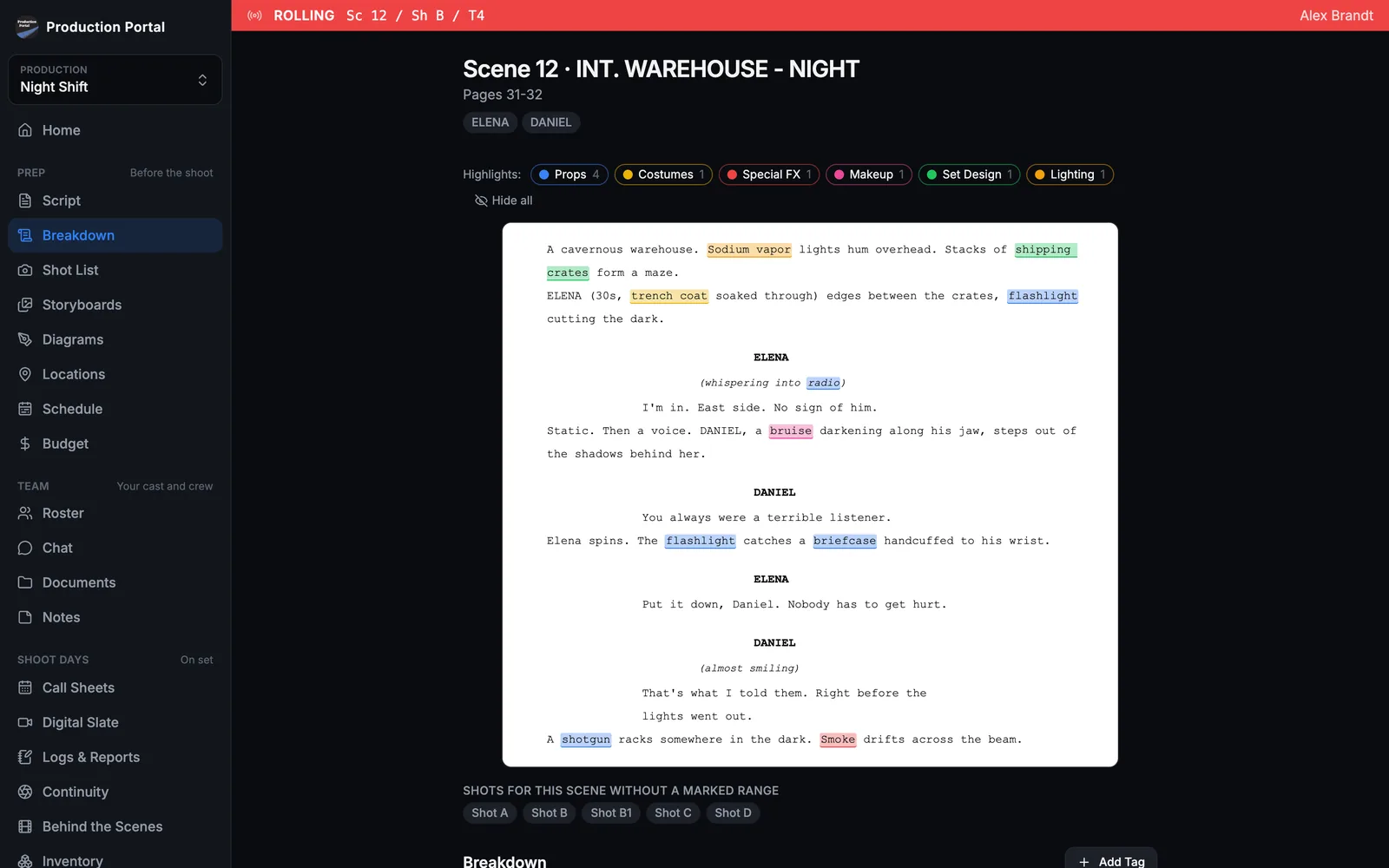
From script to shooting plan.
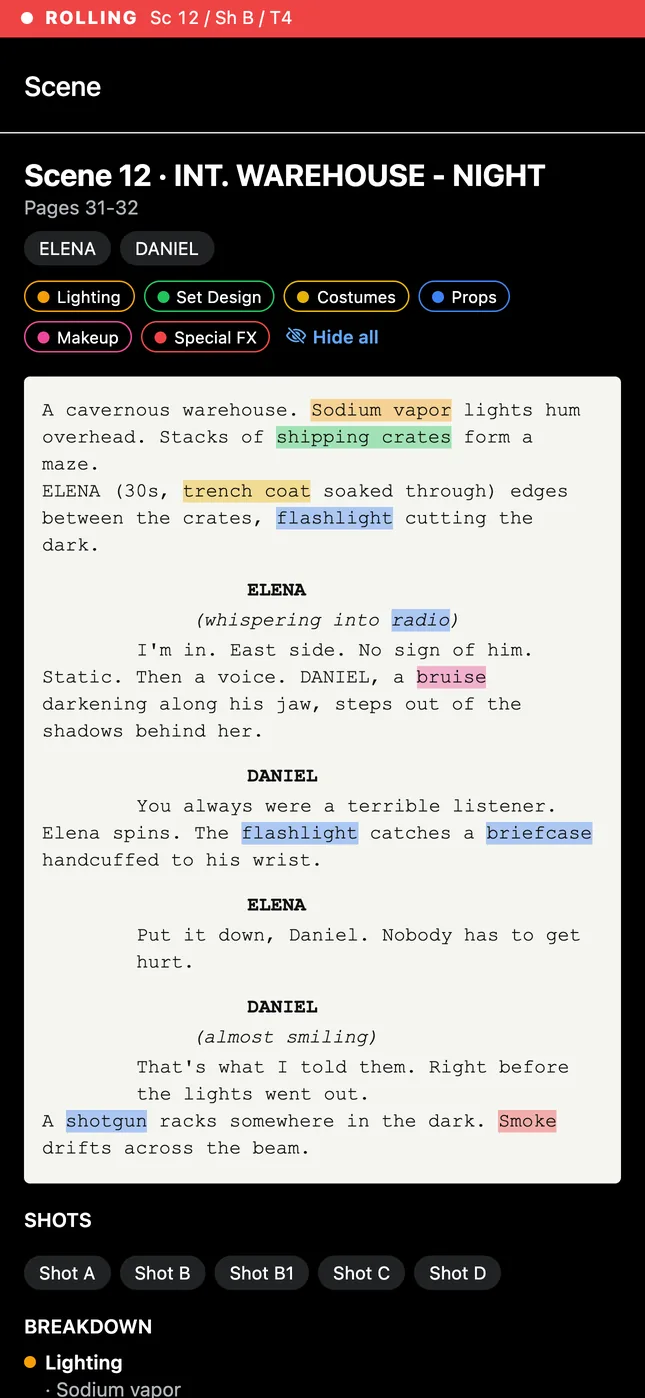
Upload the script once and it's split into scenes. Tag props, wardrobe and effects right on the page, letter the shots automatically, and pin every location on a map.
- PDF, Fountain and Final Draft scripts
- Breakdown highlights by department, on the text or the real PDF pages
- Shot lists that re-letter as you drag, grouped by scene or by setup
- Storyboards, overhead diagrams, and a calendar of shoot days with projected costs
- Budget top sheet: planned against actual, from templates
Everyone knows where to be.
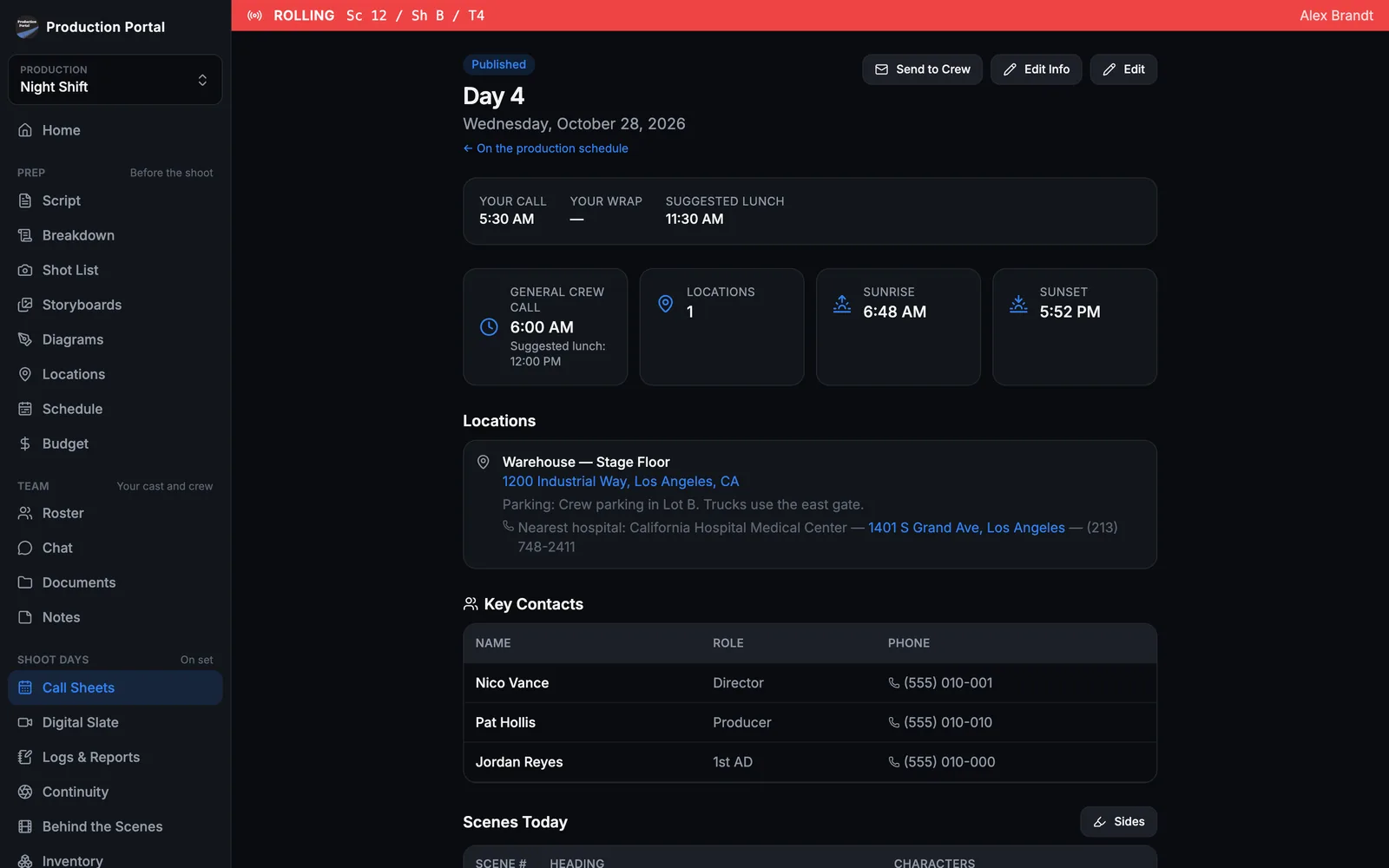
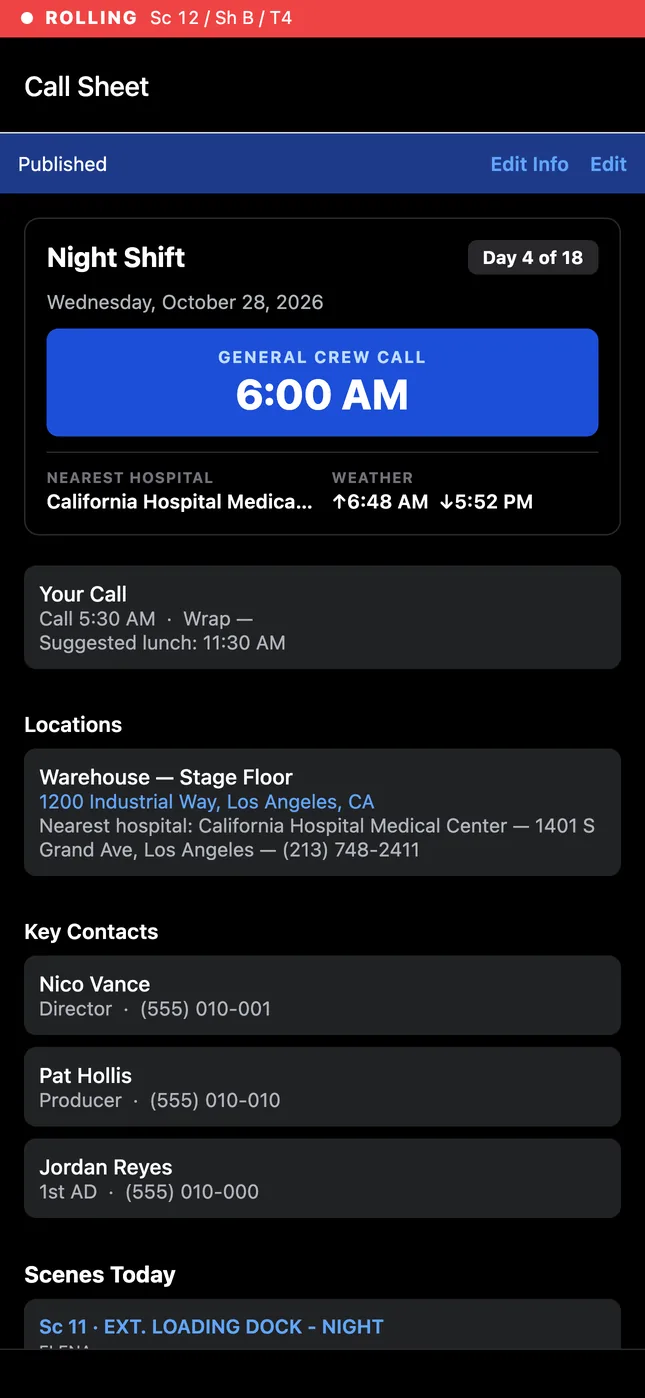
Build the day from the schedule and the roster. Publish it and each person is notified, sees their own call time first, and acknowledges it with a tap. Turnaround and meal-break warnings catch problems before they happen.
- Sides cut from the real script pages, with highlights
- Push reminders the night before, and when a call time changes
- Emailed PDF for anyone who'd rather have paper
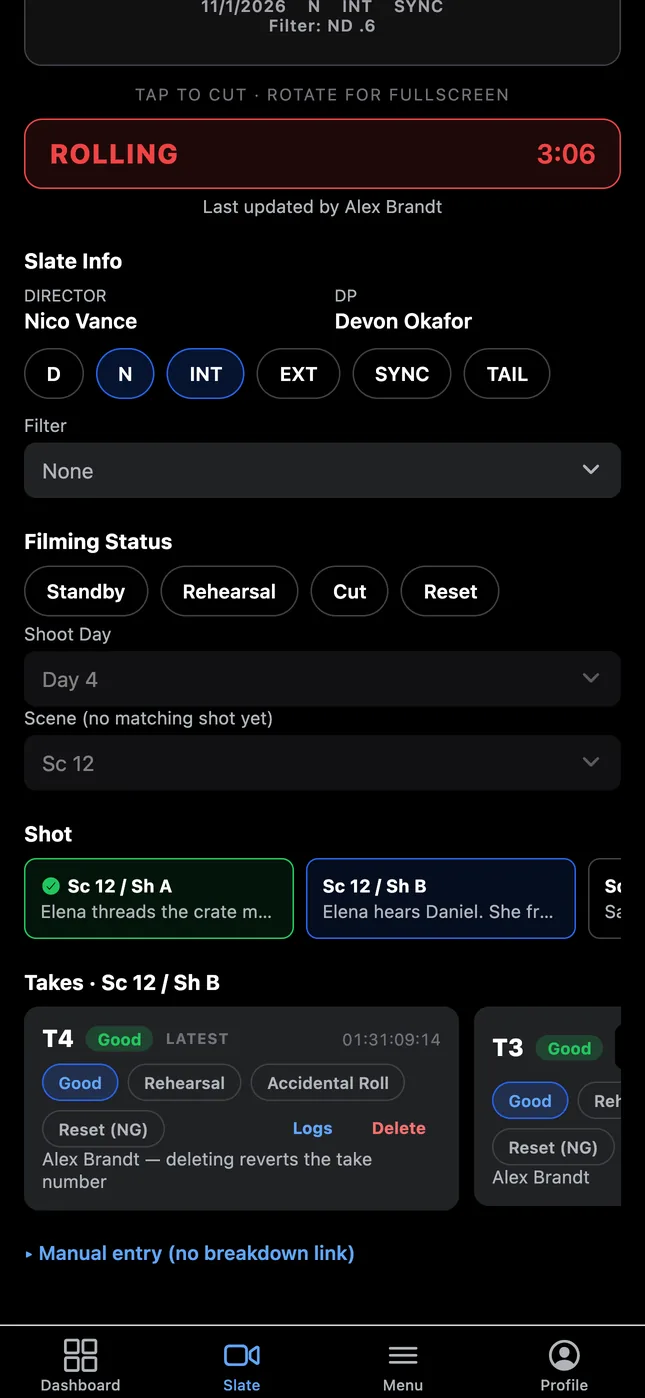
A slate the whole set can see.
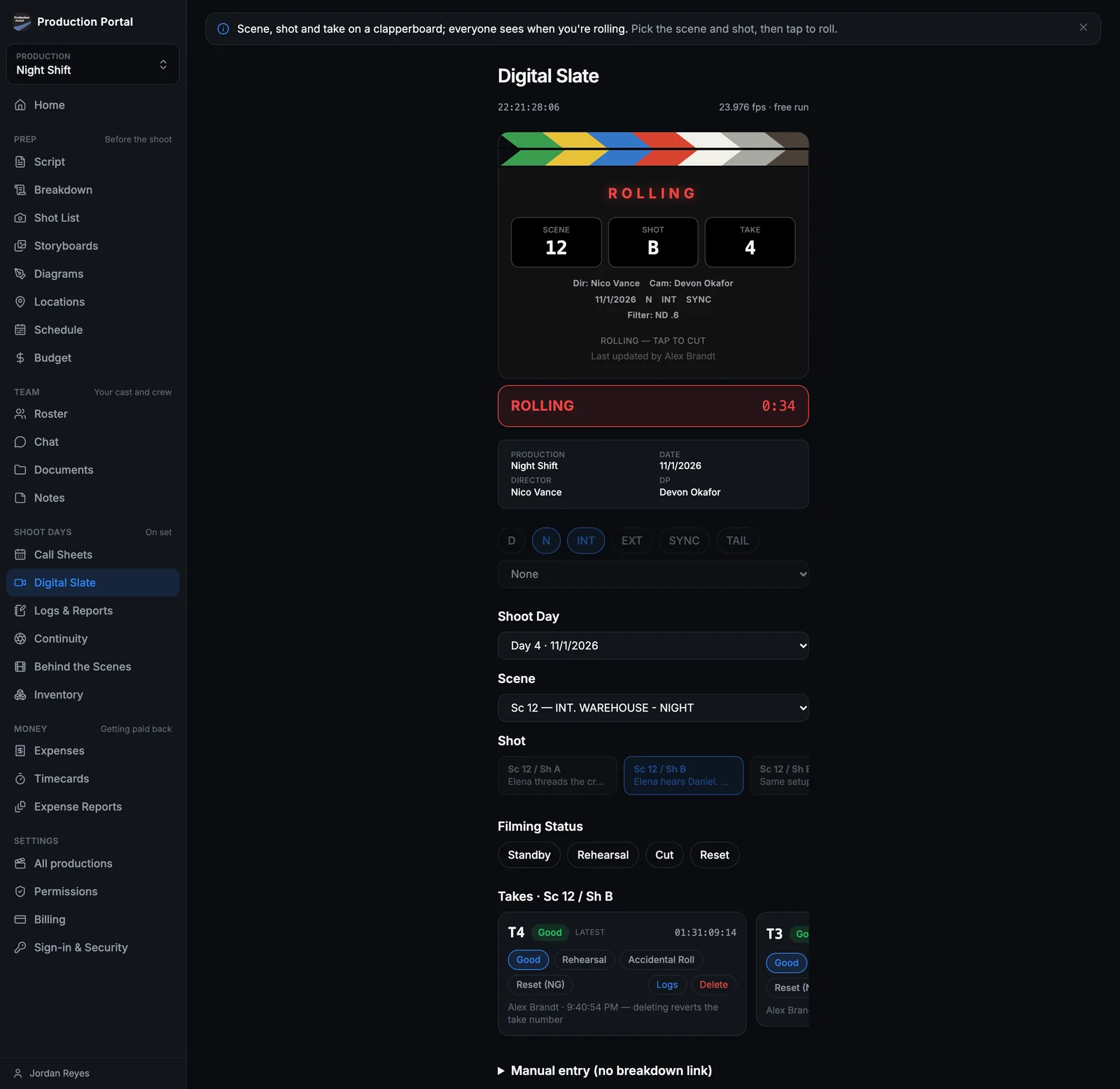
Tap the clapper to roll. Everyone's phone shows what's rolling, and on iPhone it sits in the Dynamic Island and on the lock screen. Camera, sound and script notes attach to each take.
- Continuity photos with a see-through overlay to match the last take
- Behind-the-scenes media, and an inventory of gear, props and wardrobe
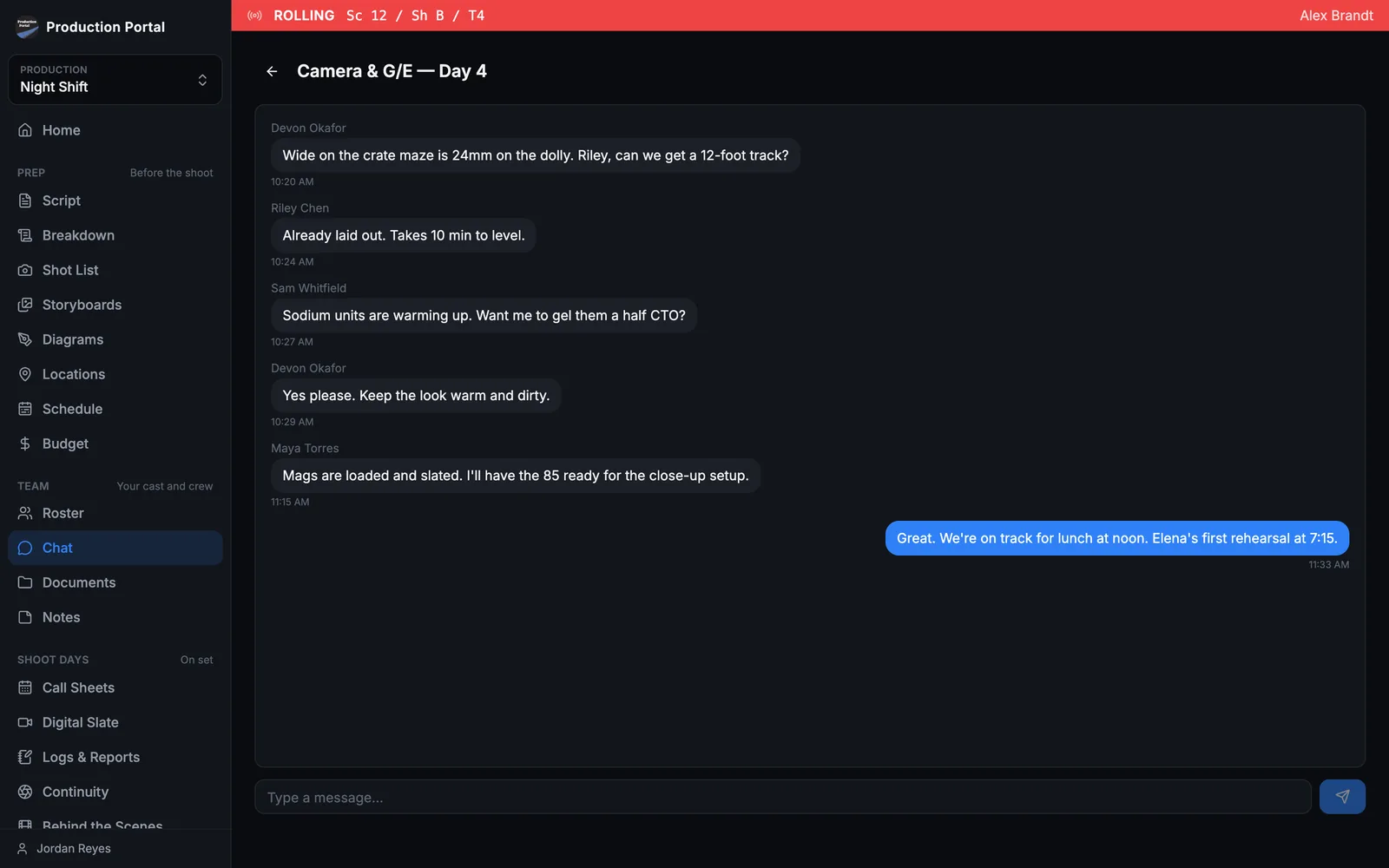
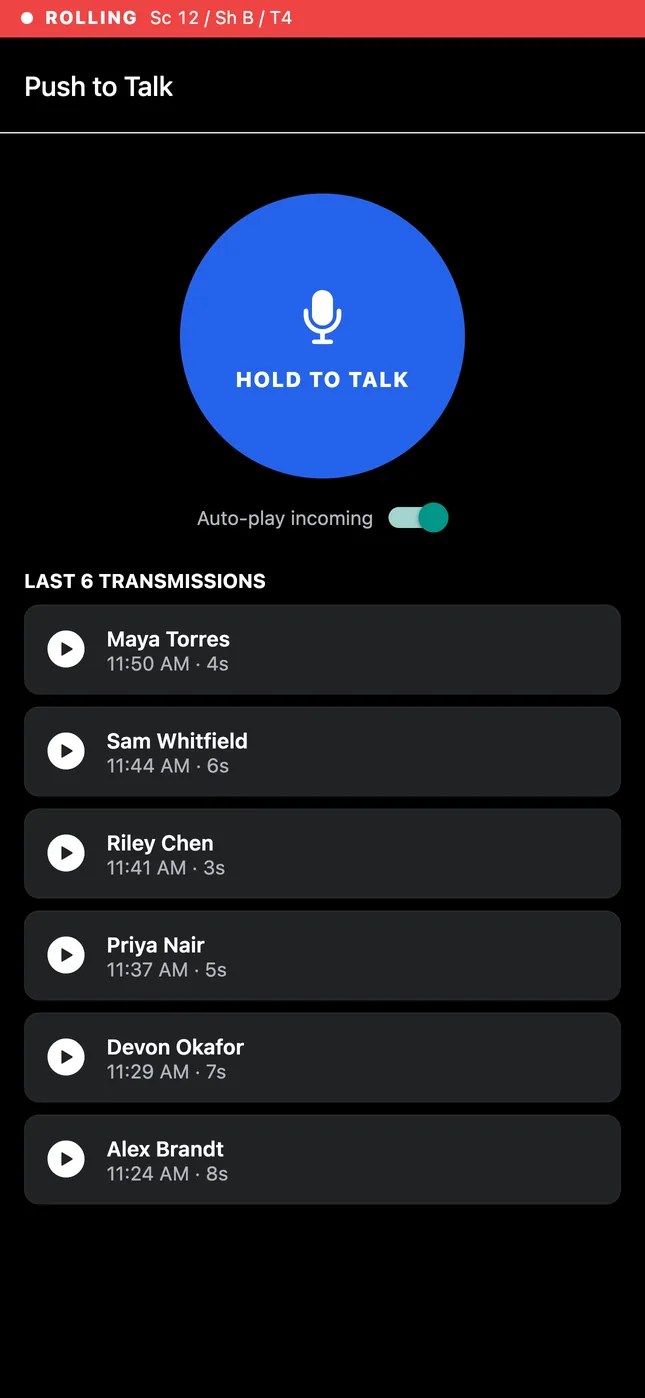
Chat for the plan. Walkie for the moment.
Group and direct chat keeps the day's decisions in one place, on the web and on your phone. On set, hold the button on iPhone to talk to everyone, and replay anything you missed.
- Push-to-talk with the last 10 transmissions kept for playback
- Chat threads for a department, a scene or one person
- Everyone sees what's rolling while they talk
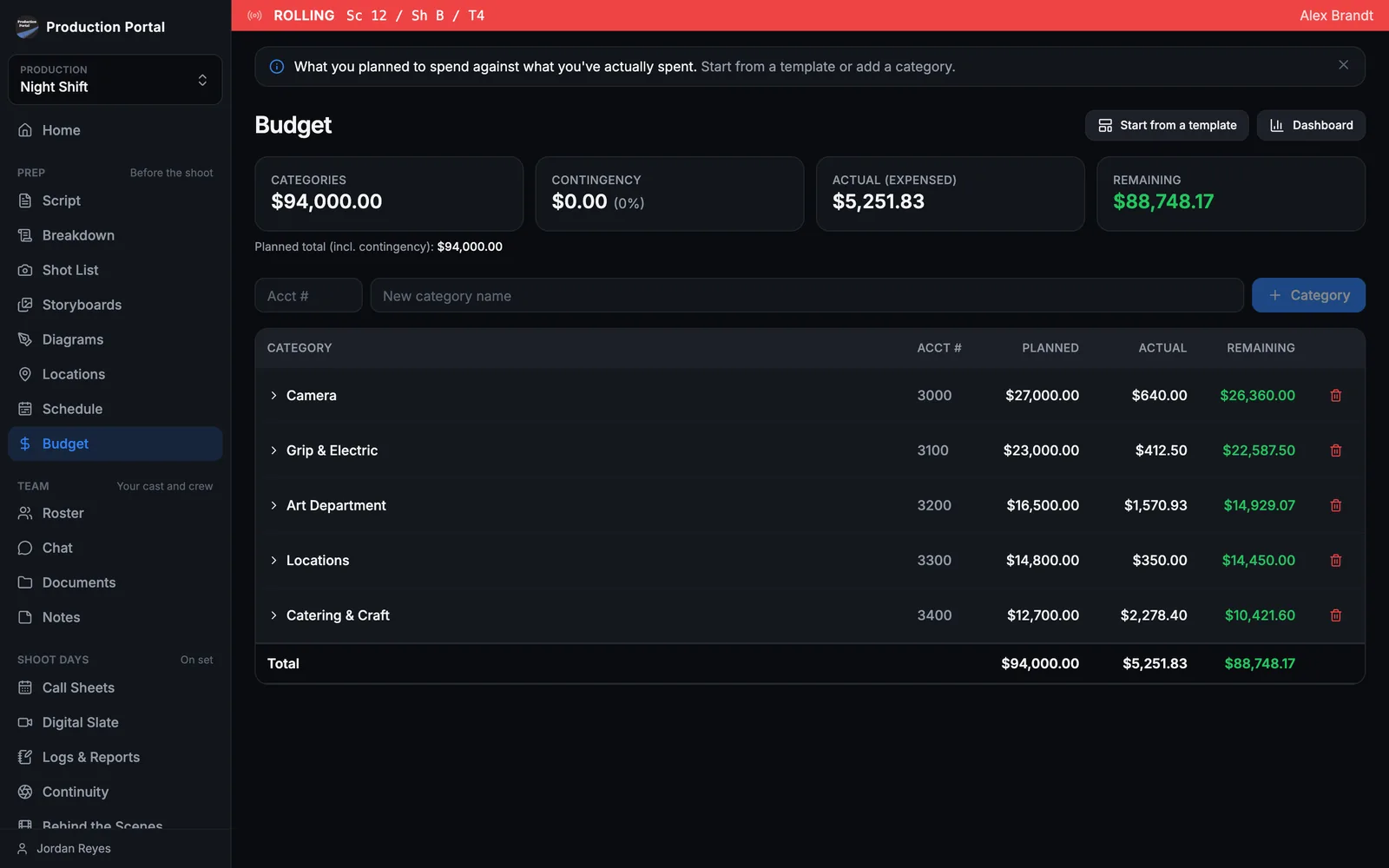
Getting paid back, without the shoebox.
Add a receipt photo on the web and the amount, date and vendor fill themselves in. Bundle expenses into a report for approval, clock in and out for timecards, and tag spending to the budget.
- Receipts are read in your browser; the photo isn't sent to a scanning service
- Approve, reject and mark paid, with everything tied to the budget's actuals
Five steps to your first shoot day.
The app walks you through these on its home screen and ticks each one off as you do it.
- Create your production. You're its producer; you can switch between productions any time.
- Add your cast and crew. Anyone added with an email can sign in and see this production, and only this one.
- Upload your script. It's split into scenes that the breakdown, shot list and call sheets build on.
- Plan your shoot days on the calendar and assign who's working.
- Make and publish a call sheet. Everyone on it is notified and confirms their call time.
Your production stays your production.
- A production, its files and its people are visible only to the people on its roster.
- Joining a production requires a verified email address, so nobody can pose as a crew member.
- Two-step sign-in with an authenticator app, and passkeys (Face ID, Touch ID, Windows Hello) on the web.
- Delete your account, or a whole production with every file in it, from inside the app at any time.
- No ads, no tracking cookies, and we don't sell your data.
Questions
What does it cost?
Nothing while Production Portal is in beta: every feature, every production, no card needed. Paid plans will come later, either per production with a seat for each person, or Unlimited billed quarterly or yearly. You'll get plenty of notice, and nothing you've made will ever be deleted for not paying.
Does my crew need to pay or install anything?
No. They sign in on the web or the iPhone app with the email you added them under, and see only your production.
Is there an Android app?
Not yet. Android users can use the web app in their phone's browser.
Can I use my Google Drive files?
Yes. Link files from Drive into a production's Documents. They stay in your Drive, with Drive's own sharing.
How do I delete my account?
Profile → Delete my account. See what's deleted.