Tape it. We'll find the takes.
Record your self-tape with framing guides and a teleprompter, or bring in footage you already shot. One More Take finds where each slate and take starts and ends, you pick the keepers, and it exports a casting-ready video with your slate, full-body shot, title cards and the file name casting asked for.
No account · No ads · Your footage stays on your phone
From sides to submission
Set up the audition
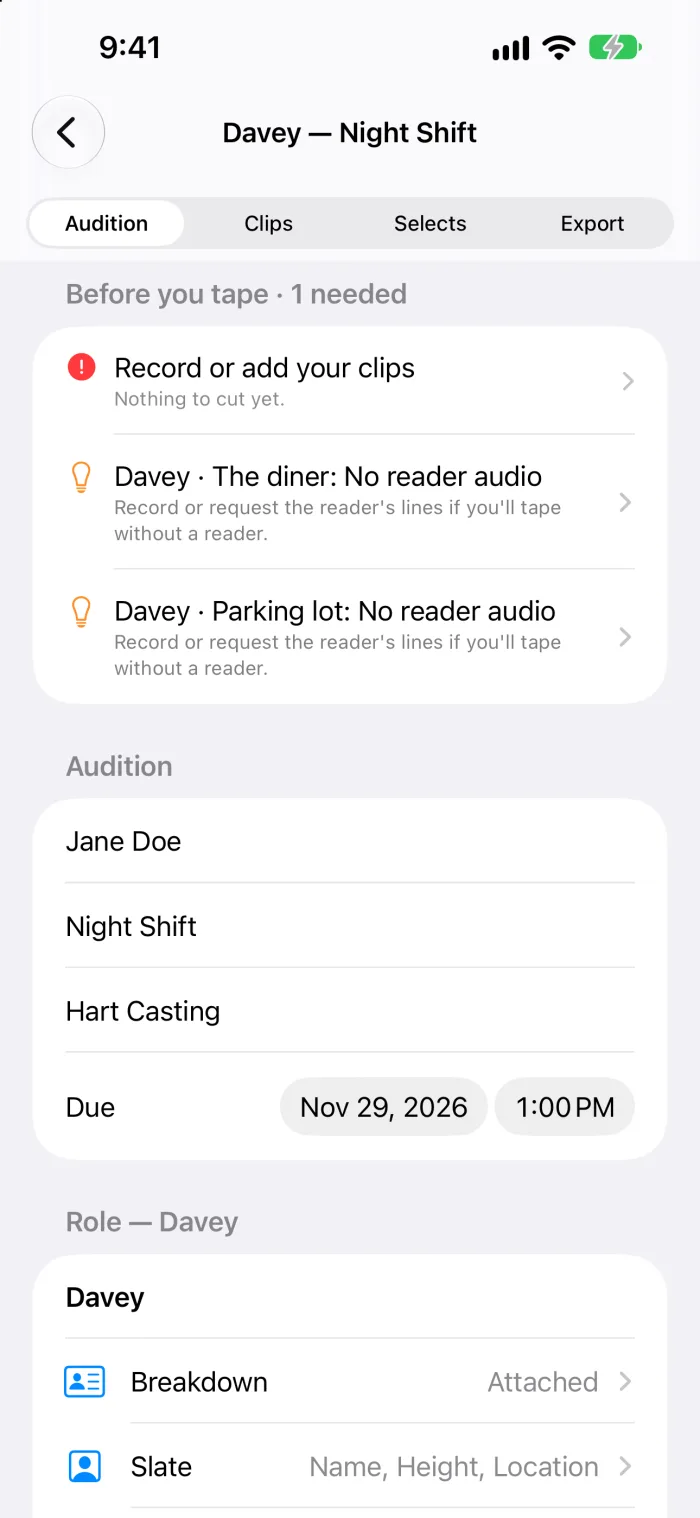
Paste or import your sides and the breakdown. The role name tells the app which lines are yours, and what casting wants in the slate becomes a checklist.
Tape or bring footage
Record in the app with guides and a teleprompter that follows your voice, or add clips from your camera roll or a dedicated camera.
Pick and export
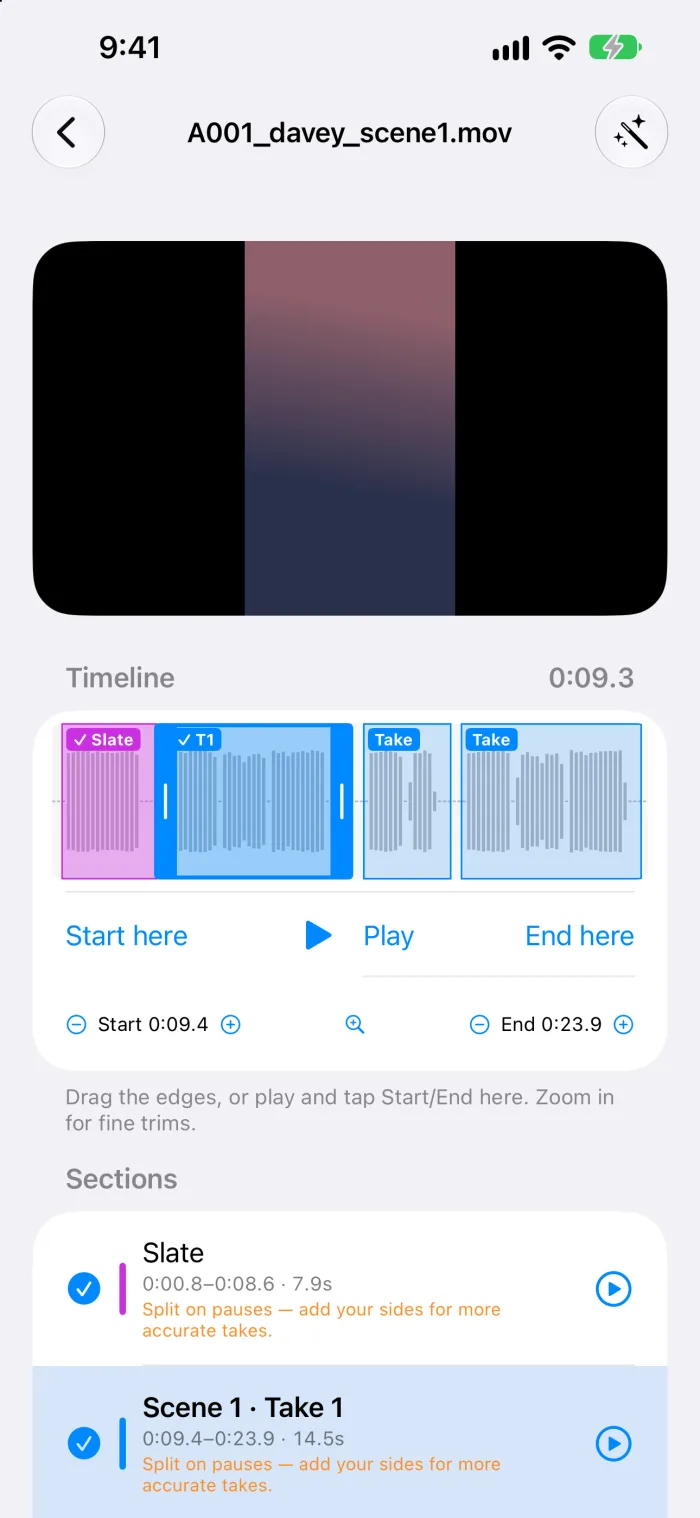
Every slate, take and false start is marked. Tick the keepers, nudge the trims, and export one video or one per take.
Spend your time on the read, not the edit.
Every take, found and trimmed.
One More Take listens to each clip on your phone and matches it to your sides, so it knows where the slate ends, where each take starts and which attempts were false starts.
- Several takes in one long clip? Each one gets its own section
- "Sorry, let me go again" starts a new take; the stumble is set aside
- Drag a section's edges to trim; they snap to the section next to them so nothing overlaps by accident
- Tick the takes you want and they line up in export order
A recording screen built for self-tapes.
Slates, full-body shots and scenes each have their own mode, and the camera helps you get the shot right.
- Framing guides for close-ups, mediums and full body, with warnings you can turn off
- A teleprompter next to the lens that follows along as you speak
- Eyeline marks, so you know when you drift off your reader
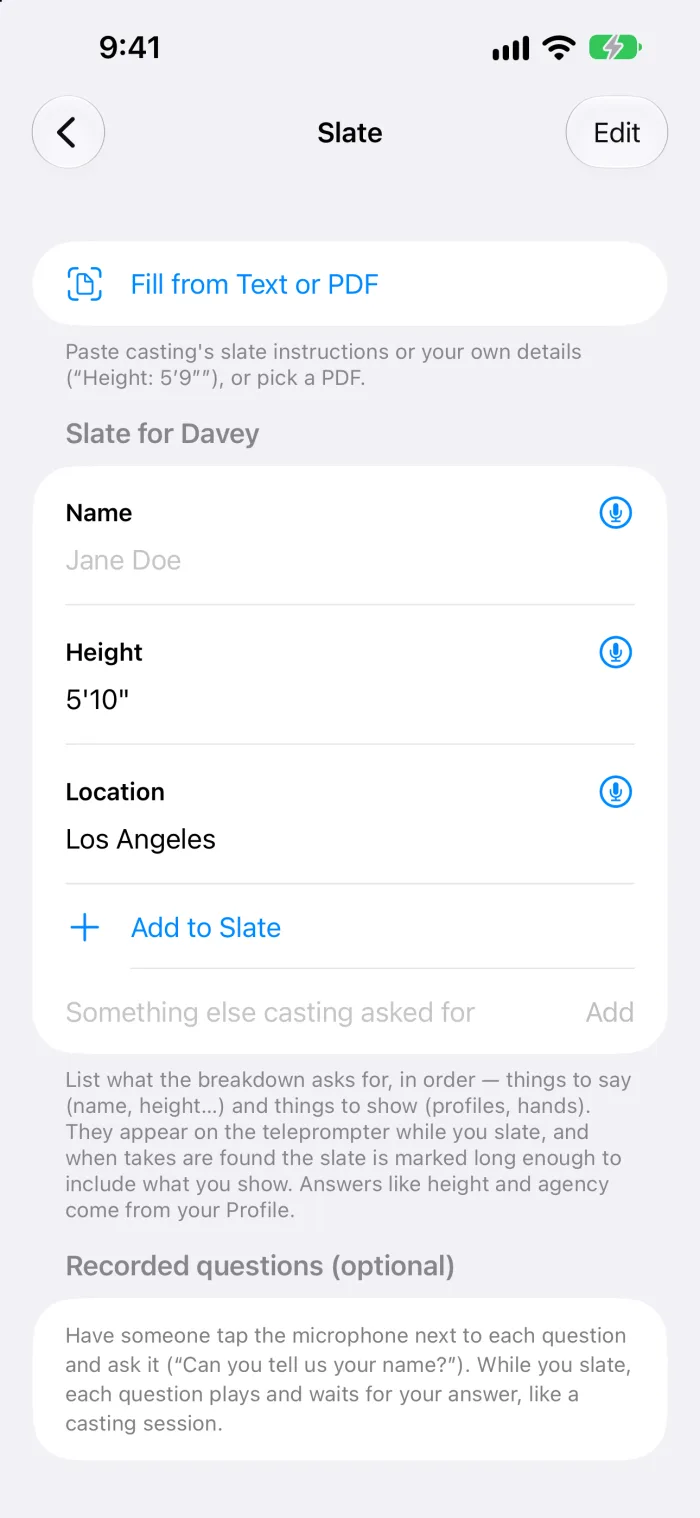
- Your slate answers on screen; paste casting's slate instructions to fill them in
- Drag to zoom, double-tap to switch cameras
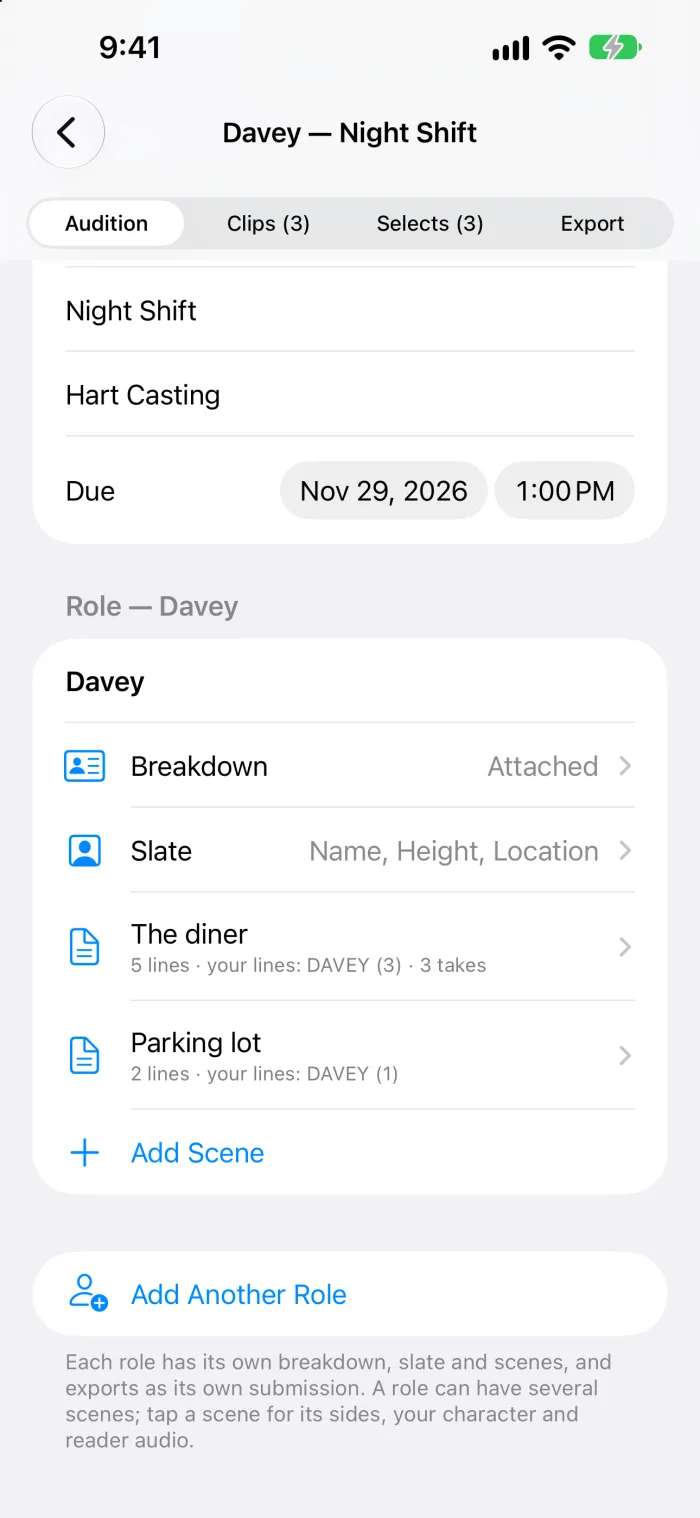
No reader? You've still got one.
Record the other lines yourself, or text a friend who has the app a request; their recordings drop right into the scene. While you tape, the reader's lines play on cue when you finish yours.
- Several roles and several scenes in one audition, each with its own sides
- A reader can join from a phone nearby to see the sides and start and stop the recording
- Record the slate questions too, for a casting-room feel
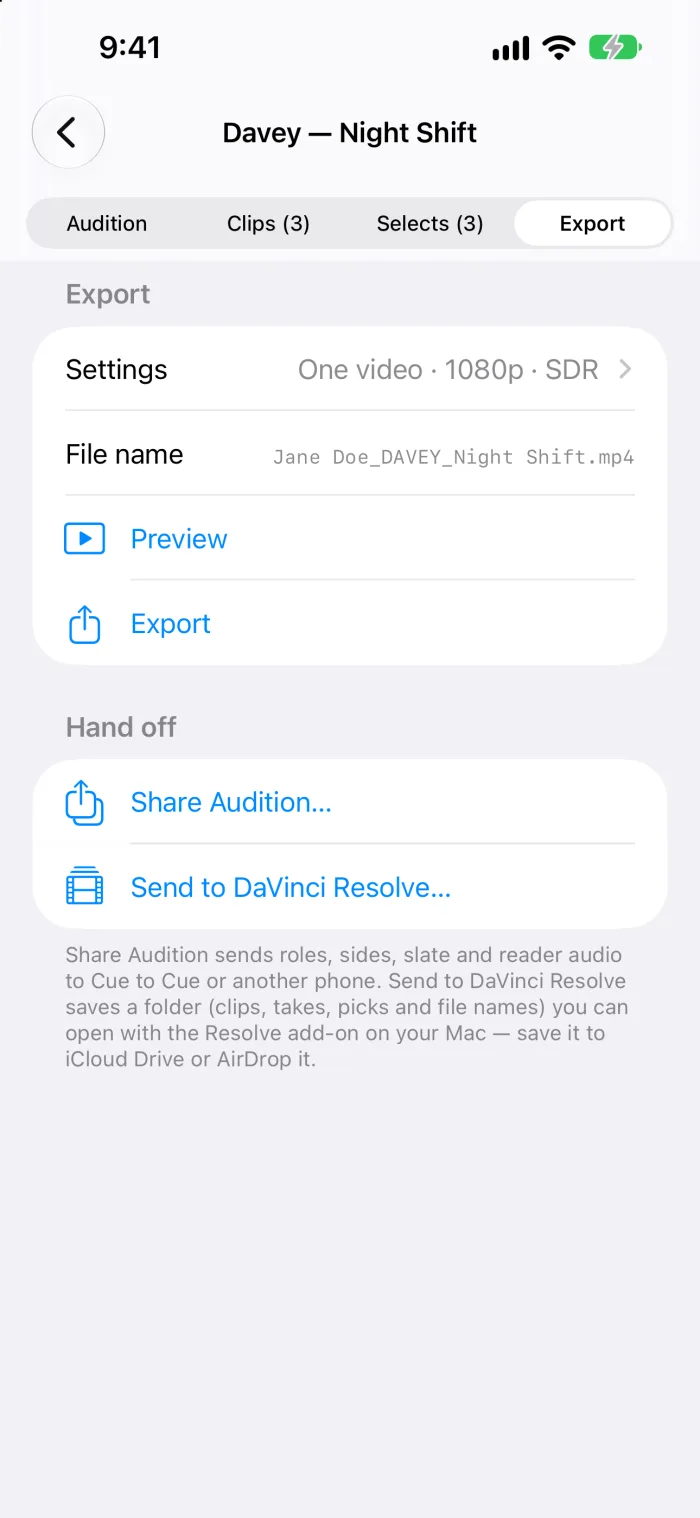
Casting-ready, named right.
Your slate, the full-body shot sliding in beside it, then each take with an optional title card and fades.
- File names built from your name, the role, the project and the take, in the format casting asked for
- SDR by default, so iPhone HDR footage doesn't look washed out on casting's screens
- Save to a Photos album or a Files folder, then share it straight from the app
- Audio clean-up evens out your levels and quiets room noise
- A "Before you tape" checklist shows anything missing: slate answers, sides, picks and more
Part of your audition workflow
The Industry
Send an audition from your tracker, with its sides, breakdown and slate, and tape it in One More Take.
Cue to Cue
Learn your lines first, then bring the same audition and reader recordings over to tape.
DaVinci Resolve
Shooting on a dedicated camera? Send your clips, takes and file names to a folder you can finish in Resolve.
Shot it on a real camera? Cut it in Resolve.
One More Take for DaVinci Resolve brings the same take finder into Resolve, so tapes from your phone and from your camera match.
Organize
Tag clips as takes, slate or full body. They're sorted into role and scene bins with clip colors, keywords and scene metadata.
Find takes
Each clip is transcribed on your Mac and every slate, take and false start is marked. Turn a marker green to pick it, and drag its ends to trim.
Build & render
One timeline per role, with the full-body shot sliding in beside your slate, title cards, fades and named render jobs on the Deliver page.
Works inside DaVinci Resolve (tested with Resolve Studio 21.1) on Apple silicon Macs with macOS 26. After installing, open Resolve and choose Workspace ▸ Scripts ▸ One More Take.
Go again. As many times as you need.
One More Take is coming to the App Store.