
Take your time
forming your habits.
Drag the dial, tap Start, do the thing. Habitform turns the time you really spend on reading, writing, practice and workouts into weekly goals, streaks and finished projects — so you can see the habit forming, not just hope it is.
Everything a habit needs, nothing it doesn't.
Built around one idea: time you actually tracked beats time you meant to track.
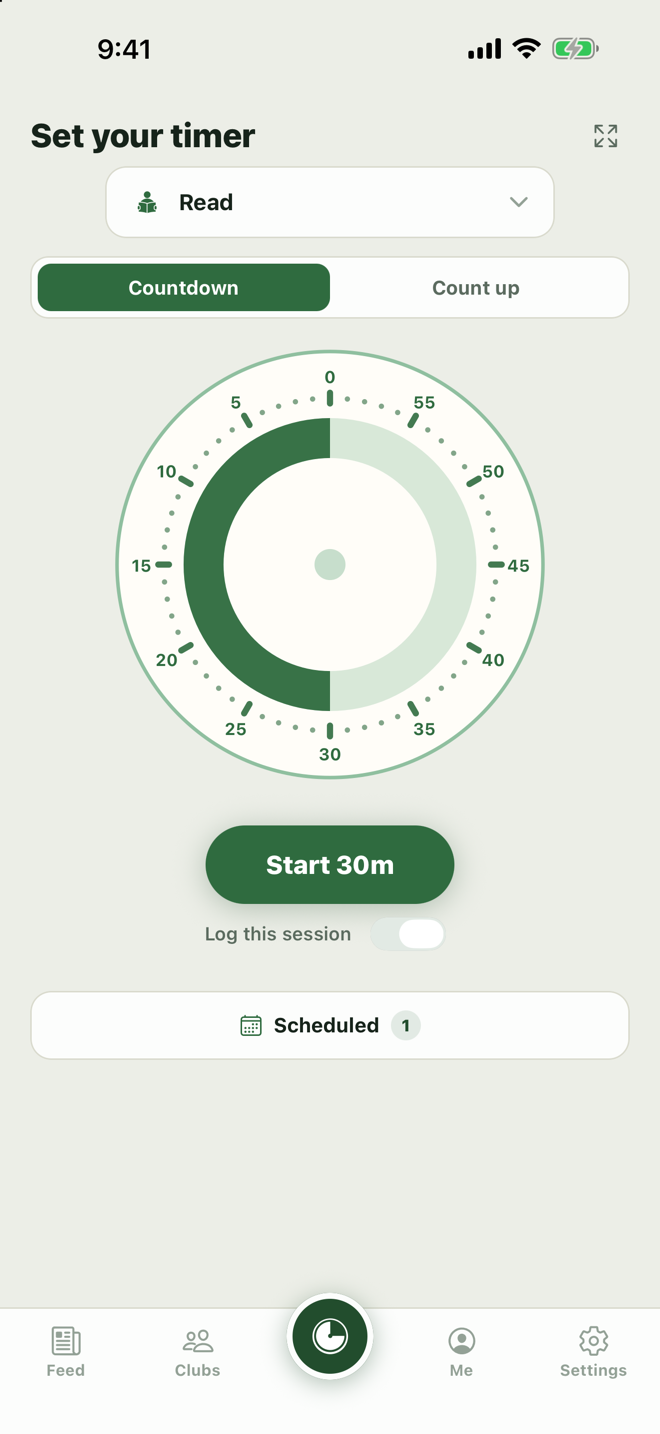
Drag the dial. Start. Done.
A visual timer you set by dragging — countdown or count-up. No setup first: start timing now and say what it was when you're done.
- Time now, log later — pick the activity after, with your last one preselected
- Countdown or open-ended count-up, with pause and +/- time
- Fullscreen mode and a low-light night face after 10pm
- Start from your schedule, a routine, a widget or your Apple Watch
- Optional App Blocker shields distracting apps while it runs (iPhone)
Goals that bend instead of break.
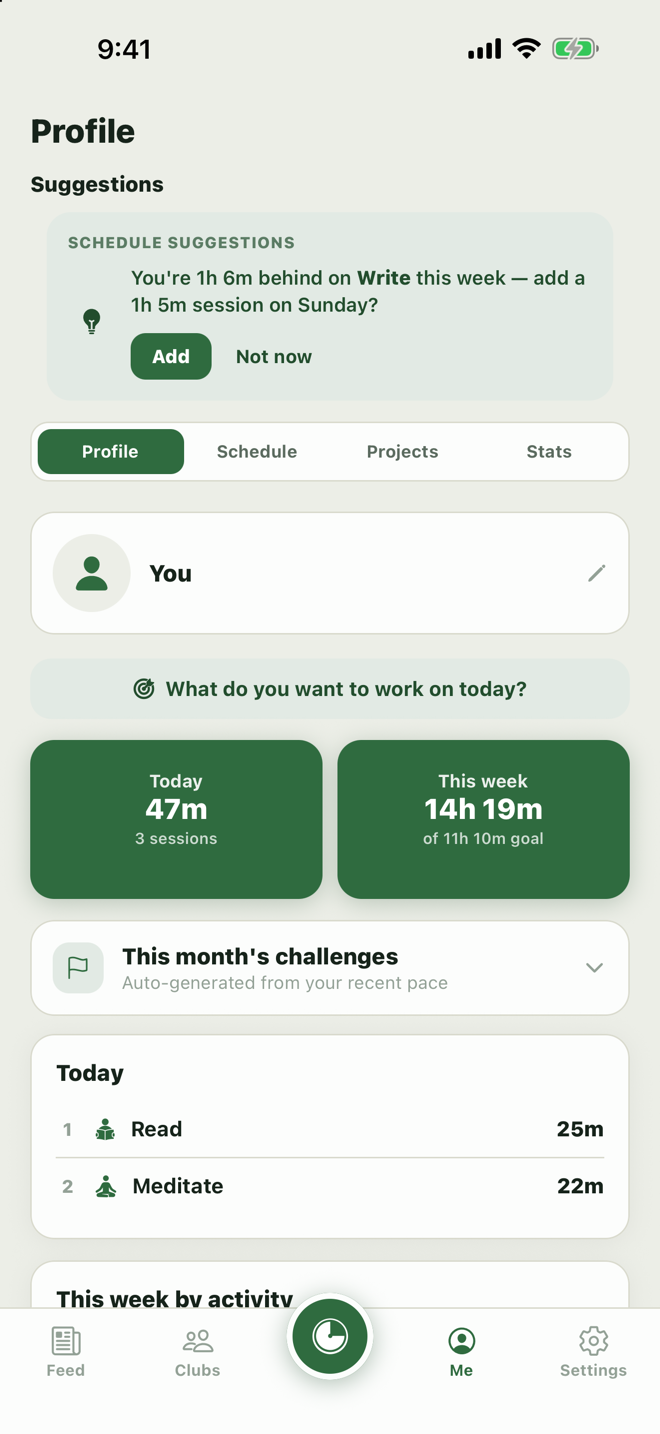
Give each activity a weekly target. Habitform shows where you stand today and this week — and if a goal keeps going unmet, it suggests a realistic one instead of nagging.
- Weekly minutes per activity, rolled up into one weekly goal
- Day and week streaks, monthly challenges, and a trophy room
- Typed-in sessions never count toward streaks — only real, timed focus does
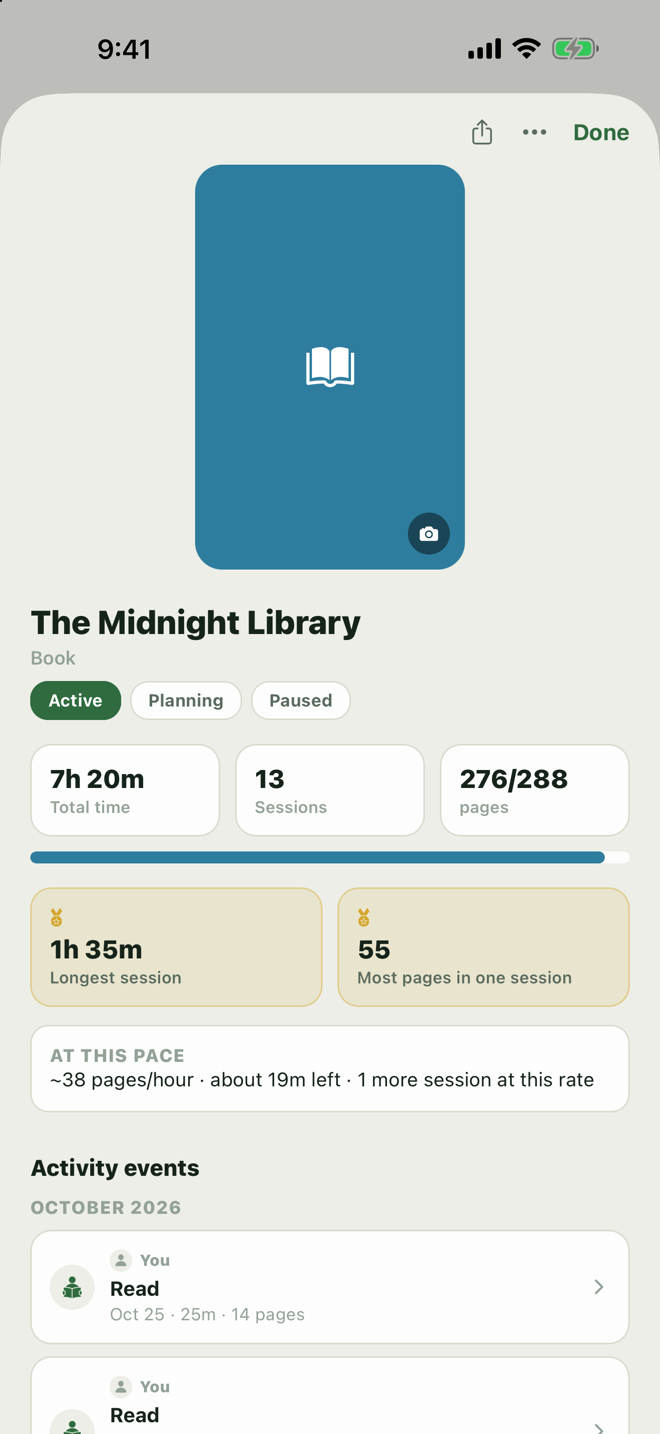
From first page to finished shelf.
Books, scripts, plays, films, apps, journals — give a project a page count or a deadline and every session moves it forward. Finished books land on your shelf with their real spine.
- Search books and movies to fill in covers, page counts and runtimes
- "At this pace" estimates from your own reading or writing speed
- Active, Planning and Paused — so a full list never feels like a to-do pile
- Share a project with a collaborator
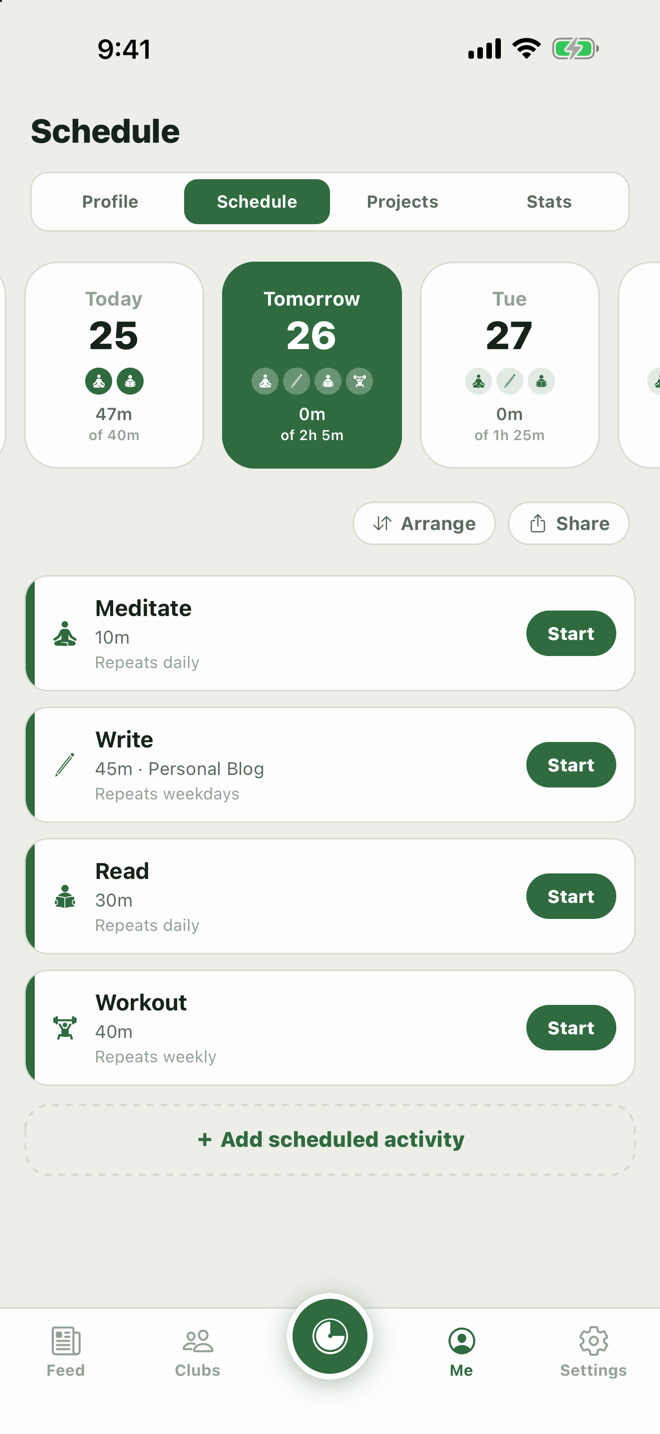
Plan the week. Start it with one tap.
Block out repeating time for each activity, set a daily limit so you don't overbook, and string steps into routines you can run start to finish.
- Daily, weekday or custom repeating blocks
- Routines like warm-up → scales → song, timed step by step
- A Home Screen widget with today's schedule (iPhone)
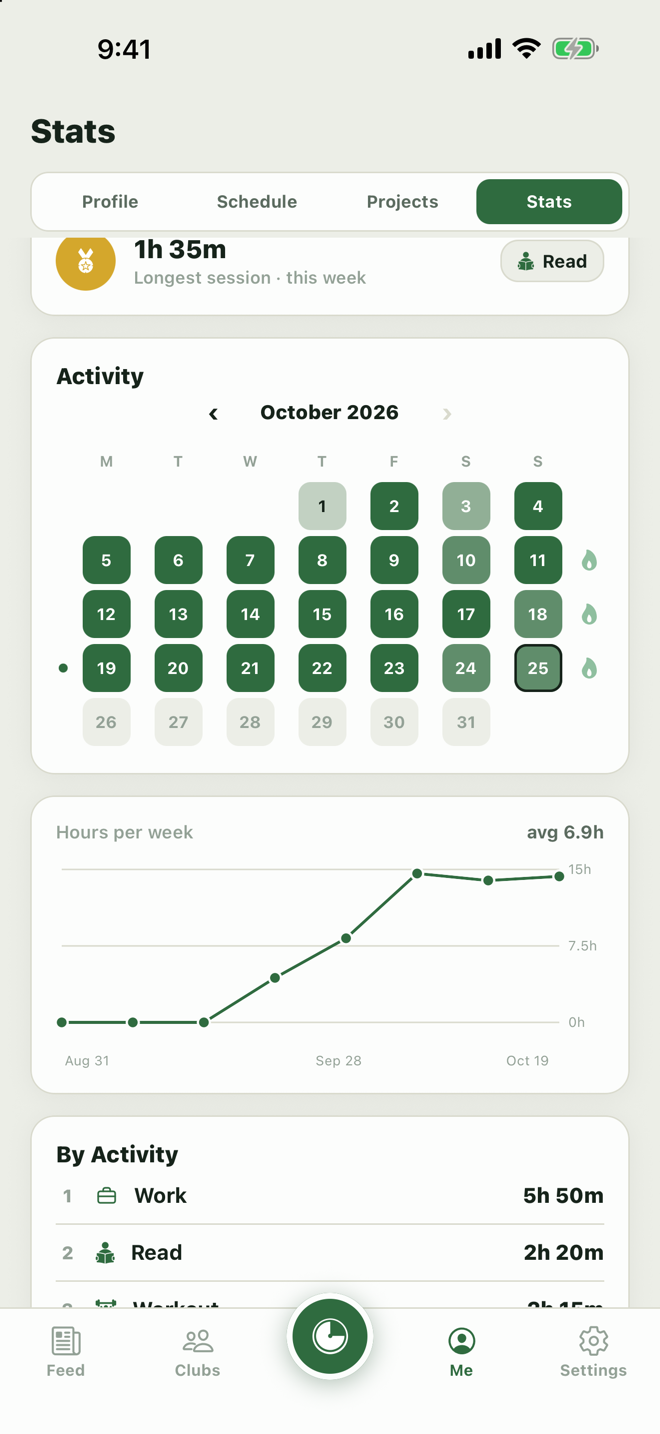
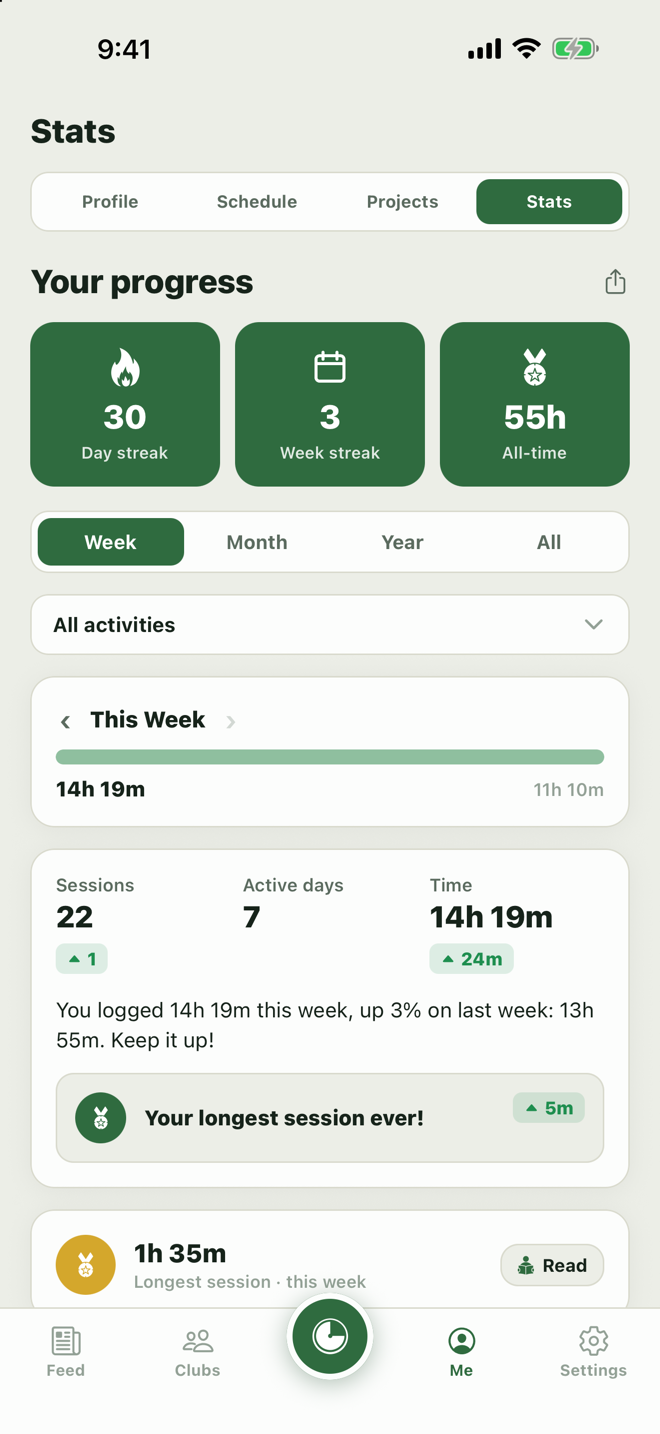
See where the time really went.
Week, month and year views, a calendar heatmap, per-activity pace like "~40 pages an hour", and shareable cards when you want to show off a good week.
Friends, clubs and a little accountability.
Everything is private until you share it. When you do, it's with people you approved.
Feed
Posts, day summaries and upcoming club events from people you follow.
Clubs & events
Join a book club or a run club, set a current pick, RSVP — and attending counts as time.
Buddies
Follow each other and become accountability buddies with a weekly check-in.
Feature requests
Suggest features and vote on what gets built next, right inside the app.
Strava
Runs and rides import automatically and count toward your goals.
Apple Watch & Mac
Time sessions on your wrist; block distracting apps and sites on your Mac while you focus.
How people set it up.
A few concrete setups you can copy on day one.
Finishing a novel draft
A 300-page second draft and a habit of "I'll write when I feel like it." Now it's 45 minutes every weekday.
- Project: Novel — Draft 2, type Book, target 300 pages, deadline in 4 months
- Write: weekly goal 3h 45m
- Schedule: Write, 45 min, weekdays — tagged to the novel
- Log the page you ended on after each session; "at this pace" shows the finish date
24 books this year
Reading before bed and on the train, with a shelf to show for it.
- Read: weekly goal 5 hours, a 30-minute daily block
- Each book is a project — search fills in the cover and page count
- Track "what page are you on?" after each session
- Finished books move to the Bookshelf, spine photo and all
Training for a half marathon
Runs log themselves; strength and stretching get timed on the wrist.
- Connect Strava and map Run to Workout — runs import on their own
- Workout: weekly goal 4 hours
- Routine: Mobility — 5 min hips, 5 min hamstrings, 5 min core
- Start the routine from the Apple Watch after each run
Learning guitar
Small, daily, and impossible to skip by accident.
- Routine: warm-up 5 min → scales 5 min → song 10 min
- Practice: daily block, weekly goal 2h 20m
- Day streak on the Profile page; a buddy gets a nudge if the week slips
Deep work without the phone
90-minute focus blocks where social apps simply don't open.
- Settings → App Blocker on, pick the apps to block
- Block by activity: Work blocks social; Reading blocks nothing
- Mac menu-bar blocker follows the phone's timer
Running a book club
One place for the current pick, the meetup and who's reading along.
- Create a club and set the current pick from a book search
- Host an event tagged to Read — attending credits the time
- Members post progress to the club feed
Questions
Is Habitform free?
Yes — the timer, goals, projects, schedule, stats and social features are free.
Do I need an account?
No. Everything works on your phone without one. An account adds syncing, friends, clubs and sharing. You can sign in with email and a password, or with a one-time email code, and turn on two-factor authentication.
Who can see my sessions?
Nobody, unless you share them. New sessions are private by default; you can share individual sessions or turn sharing on in Settings.
Does the App Blocker work on Android?
Not yet — it uses Apple's Screen Time technology, which is iPhone-only. On Mac, the separate menu-bar blocker covers apps and websites.
How do I delete my account?
From the app: Settings → Account → Delete account. It removes your profile, posts and cloud data. See Delete account for details.
Start a timer. See where the time went.
Habitform is coming to the App Store and Google Play.