Every take, every line, every reaction. Pick the best ones without scrubbing a timeline.
Best Take sits next to Resolve and walks you through your dailies one step at a time. It reads the transcript of every take, finds each line of the scene in each one (paraphrases, restarts and improv included), and lets you watch them side by side and drop the one you want into the cut.
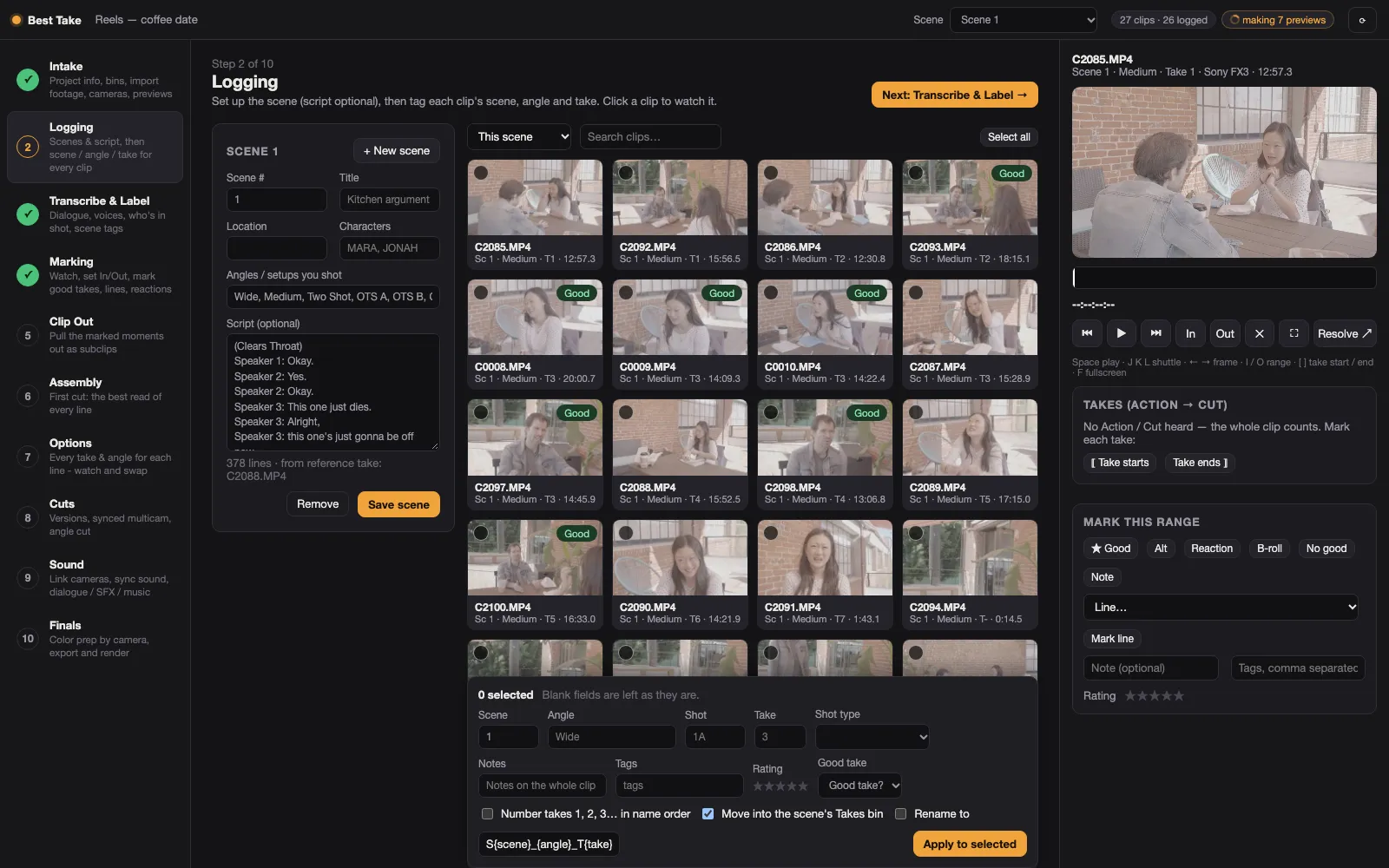
Dailies, in order.
Each step does one job and hands you to the next. Skip any you don't need.
1. Intake
Point it at the bins you're working from, build bins from a template, and bring in a card. It reads the camera and log profile from each file.
2. Logging
Set up the scene, paste the script if you have one, and tag scene, angle and take for a whole batch of clips at once.
3. Transcribe & label
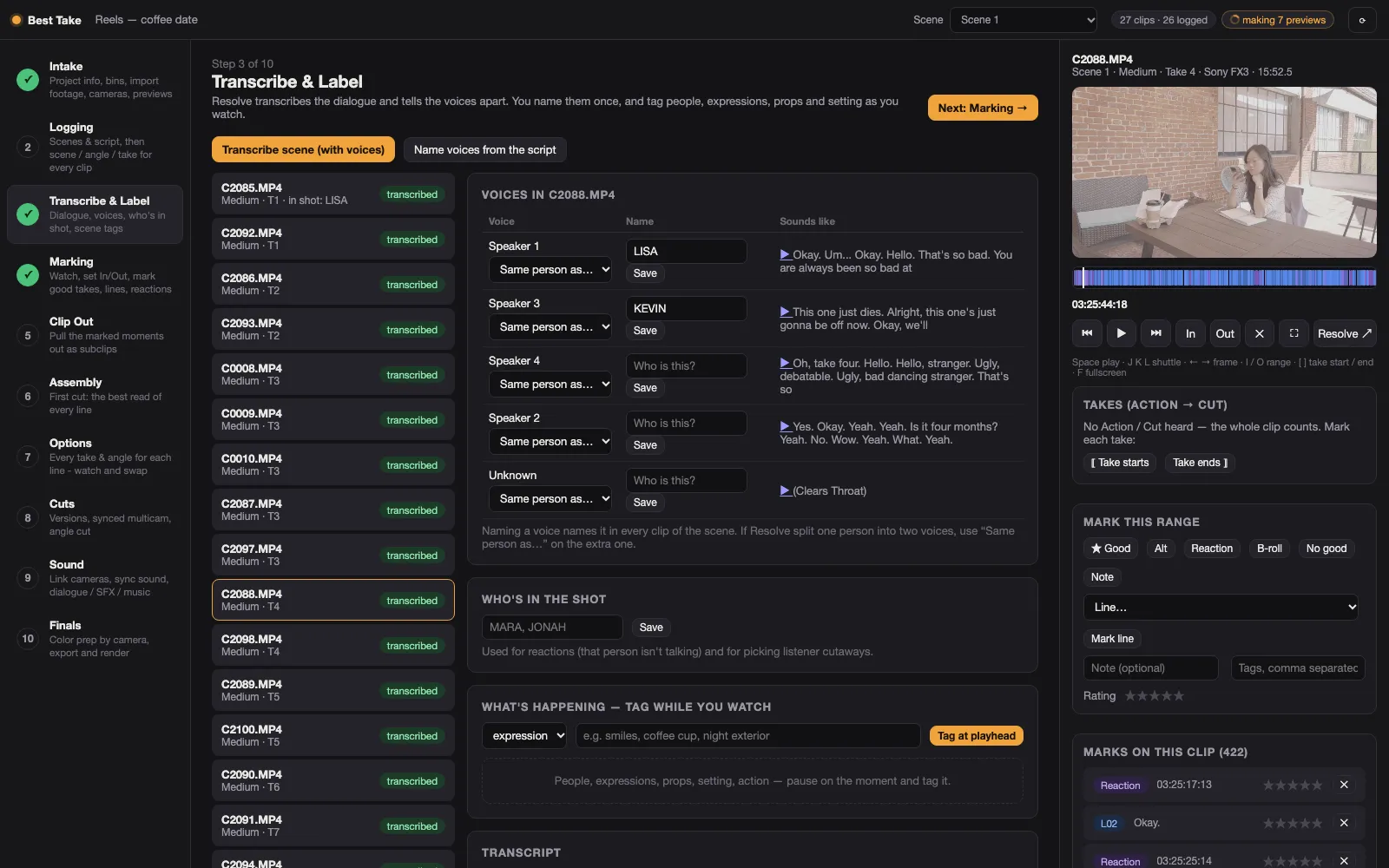
Resolve transcribes and tells the voices apart. Name each voice once and it's named in every take.
4. Marking
Finds every line, improvised bit and reaction. Marks where each take runs, Action to Cut, with a shot letter and take number.
5. Clip out
Turns marks into real subclips, filed into Lines, Selects and Reactions bins, with no timeline needed.
6. Assembly
One click lays the best read of every line end to end, with reaction cutaways on the track above.
7. Options
Open any line or stretch of the scene and watch every take of it back to back. Swap one in and the cut rebuilds.
8. Cuts
Sync takes from different angles to the longest performance and build a Resolve multicam, or an angle cut line by line.
9. Sound
Link cameras that rolled together and pick whose sound to use. Keep dialogue, SFX and music sorted on named tracks.
10. Finals
A color group per camera with its log-to-Rec.709 LUT, then export FCPXML, AAF, EDL or OTIO, or render.
Built around how a scene actually gets shot.
Takes don't match the script word for word, cameras don't start at the same moment, and half the good stuff is improvised. Best Take expects all of that.
The script is optional.
Paste the scene and Best Take numbers the lines, or leave it out and it builds the lines from a take's transcript. Matching is loose enough for paraphrasing, restarts and different pacing.
- Voices named once are named across the whole scene
- Resolve split one actor into two voices? Mark one as the same person as the other
- Improvised dialogue is marked as improv after the line it followed
- Moments where the person in the shot isn't talking become reactions
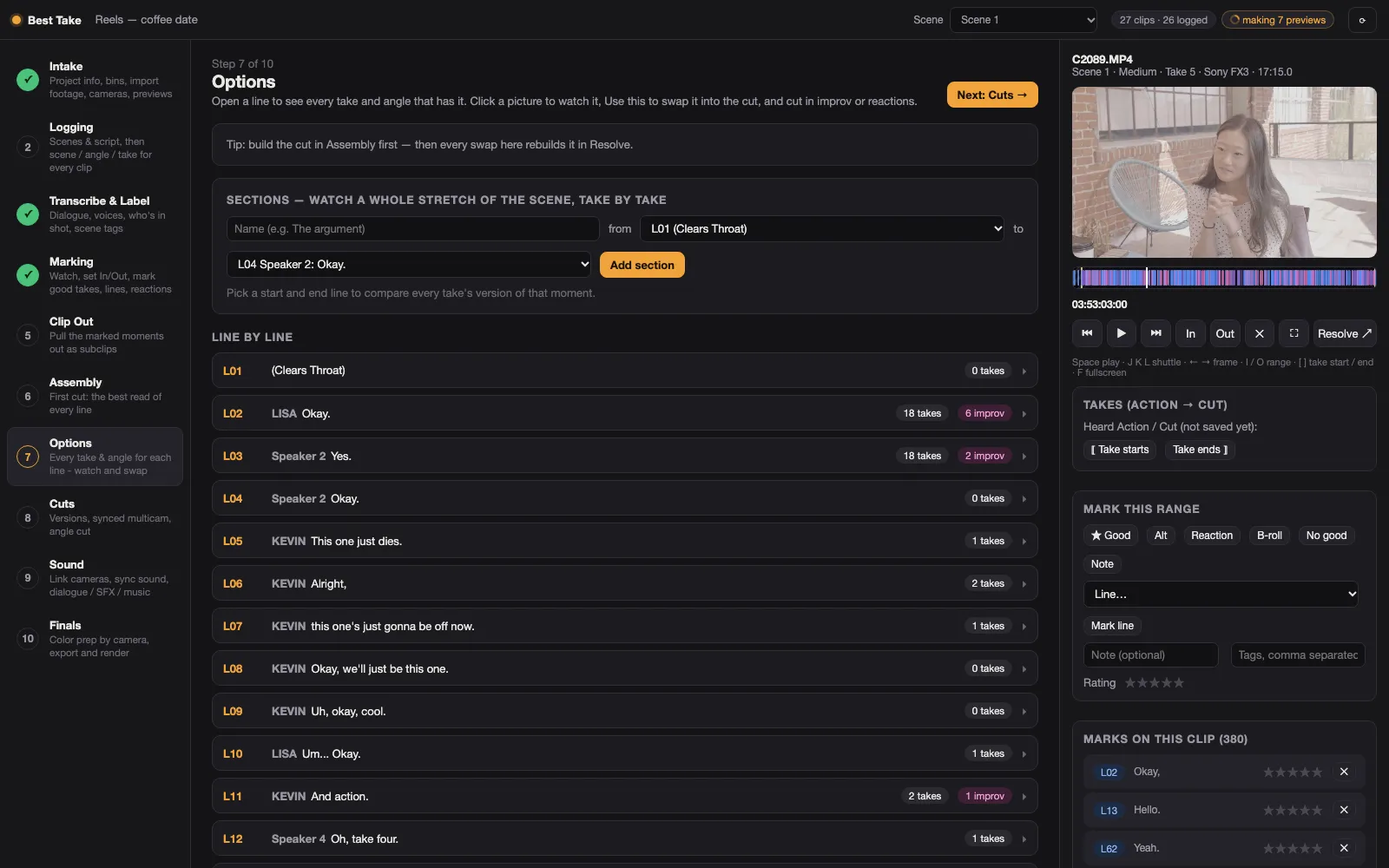
Watch every read of a line, then pick one.
Open a line to see every take and angle that has it. Click to watch it in the panel, and use it to swap it into the cut. Resolve rebuilds the timeline for you.
- Sections: compare a whole stretch of the scene, take by take, played back to back
- Use one take for a section so it plays without a cut
- Cut in improv, or lay a reaction over any line
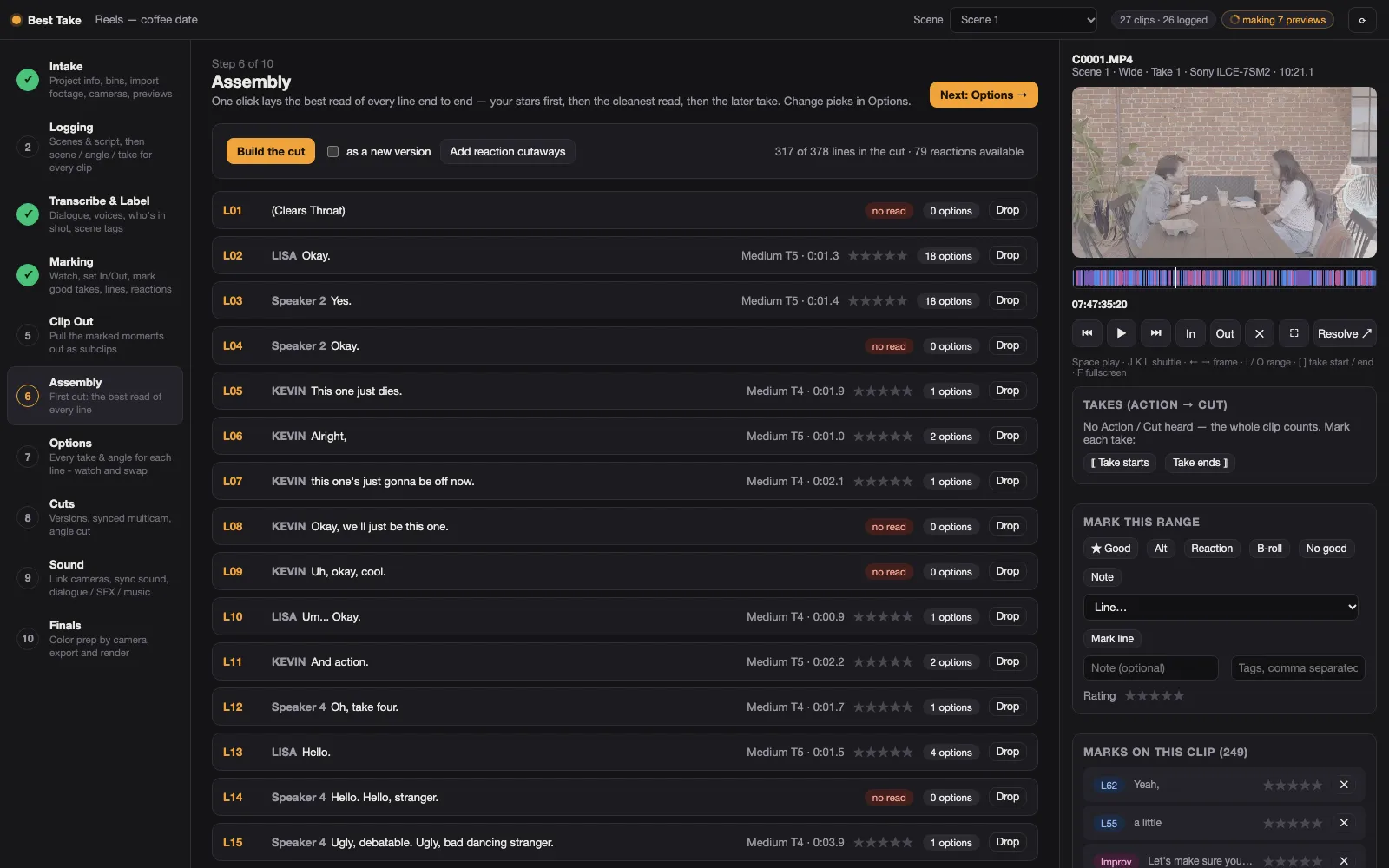
A first cut in one click.
Best Take lays the best read of every line end to end: your stars first, then the cleanest read, then the later take. Each line gets a marker on the timeline so you can find it again.
- Reaction cutaways land on V2, preferring the person listening
- Keep each build as a new version, or rebuild in place
- Drop lines you don't want without deleting anything
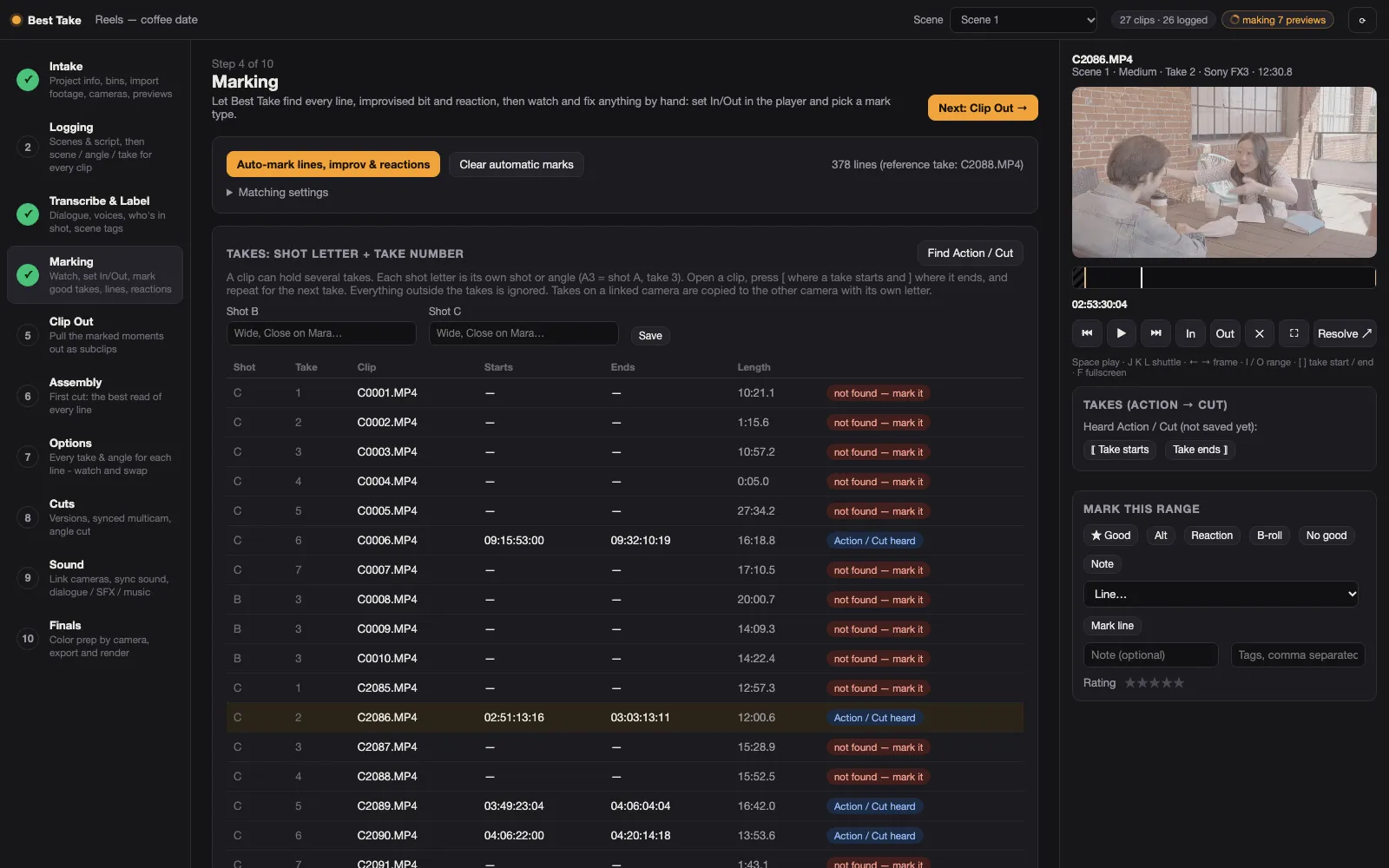
Action to Cut, by shot letter.
Best Take listens for "action" and "cut". Where it can't hear them, press [ where a take starts and ] where it ends. One clip can hold several takes, each named like A3: shot A, take 3.
- Everything outside a take is ignored, so slate chatter never becomes a line
- Name each shot letter: A is the wide, B is the close-up on Mara
- Every take is its own option everywhere after this
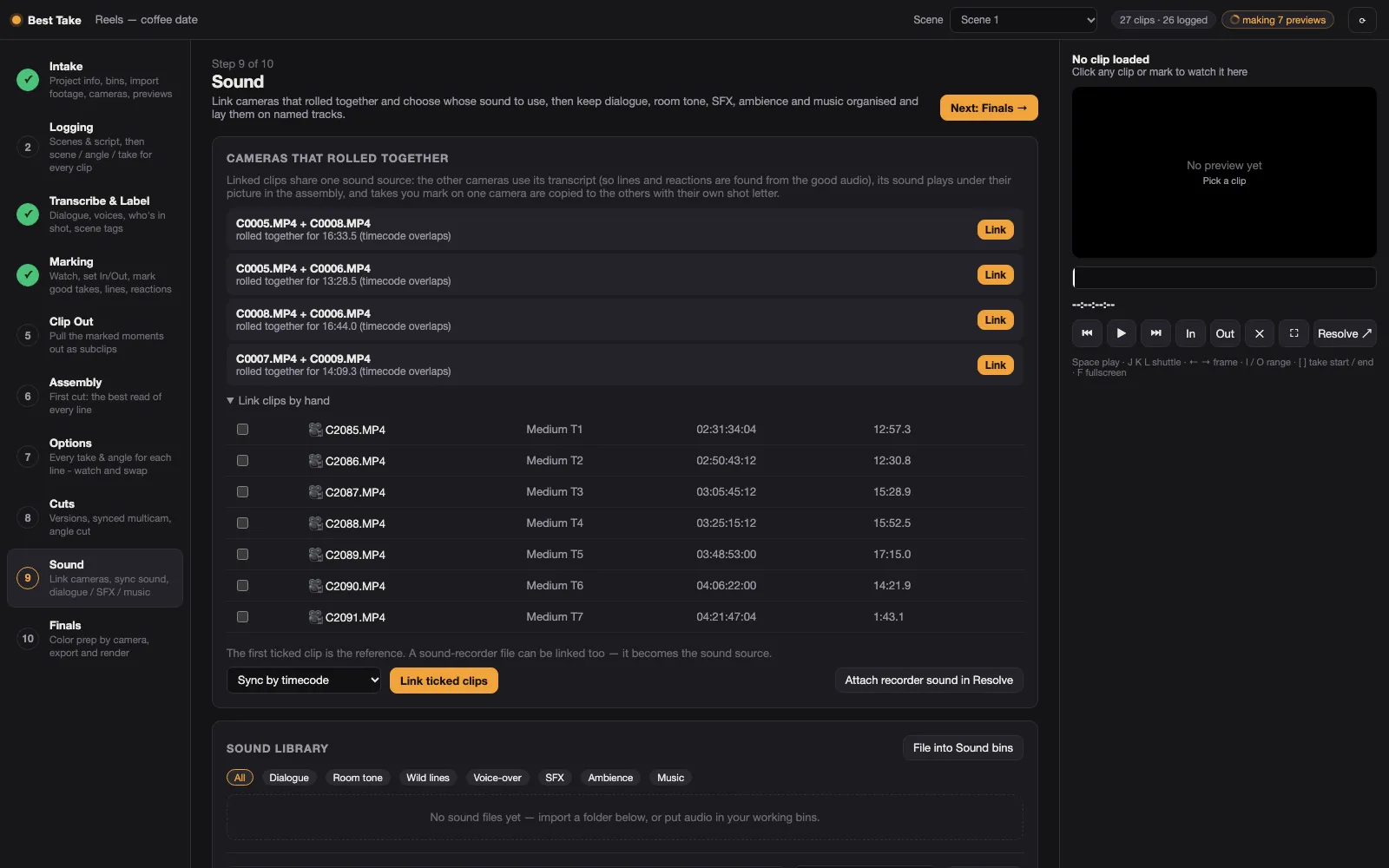
Link cameras that rolled together.
Link an A camera and a B camera, or a camera and a sound recorder. Best Take syncs them by timecode, or by lining up their audio when the timecode doesn't match.
- Pick whose sound to use; it plays under every camera's picture in the cut
- Takes marked on one camera carry over to the other
- Sound library for dialogue, room tone, SFX, ambience and music, filed into bins
- Name a timeline's tracks by type and drop a sound on its track at the playhead
Good to know.
What do I need?
DaVinci Resolve Studio on a Mac, with Python 3 and ffmpeg installed. Best Take opens from Workspace › Workflow Integrations and floats next to Resolve. Pin it so it stays on top.
Does it work in the free version of Resolve?
No. Best Take talks to Resolve through its scripting connection and Workflow Integrations, which need DaVinci Resolve Studio.
Does it send my footage anywhere?
No. Everything runs on your Mac. The transcripts come from Resolve, the matching is plain text comparison, and the small previews it plays are made on your Mac and stay there.
Where are my marks kept?
In Resolve. Every mark is a marker on the clip, and scene, angle and take are written to the clip's metadata, so they're there even without Best Take. Subclips, timelines, multicam clips and color groups are ordinary Resolve items.
Can it tell people's faces or expressions apart?
Not by itself. Voices are told apart by Resolve's transcription. Who's in the shot, expressions, props and setting are tags you add while you watch, and Best Take uses them for reactions and search.
How do I get it?
Best Take is in early testing. Ask for early access and tell us what you're cutting.
Spend your edit on the cut, not the hunt.
Best Take is in early testing with DaVinci Resolve Studio on the Mac.